AI Replace
Replace objects or areas in your images with AI
Use Responsibly
- Only replace objects in images you own or have permission to edit.
- Do not create misleading or deceptive images.
- Respect others’ privacy and rights.
How to use AI Replace
- Upload your image using the tool below
- Use the brush tool to paint over areas you want to replace
- Enter a text prompt describing what you want in the painted areas
- Adjust brush size as needed for precision
- Click "Generate" to let AI replace the painted areas with your prompt
- Download your enhanced image when processing is complete
AI Replace: effortlessly substitute items in images using prompts
Highlight the area you want to change, describe what should appear instead, and let AI Replace generate a realistic swap that blends naturally with the rest of the photo.
How to create effective prompts
Ideal prompt structure
[Main subject] + [Environment / Setting] + [Style] + [Lighting / Mood] + [Details / Adjectives] + (optional) [Camera / Perspective / Composition info]
Role of negative prompts
Remove unwanted elements that the AI might generate based on its interpretation of your positive prompt, such as poor quality, extra fingers, or distorted features.
Use seeds for consistency
AI image generators can produce a variety of images from the same prompt. Enable the 'seed' option, and change the prompt with the same seed number to see consistent images.
Drag and drop your image here
or click to browse
Supported formats: JPEG, PNG (max 5MB)
Result
Upload and process an image to see the result here
Replace anything in your image with AI-guided edits
Use AI Replace to swap objects, fix distractions, and reimagine parts of a scene while keeping everything else in the photo intact.
Replace image content with easy masking and simple prompts
Use ModernPhotoTools AI Replace to swap anything in a photo without starting from scratch. Brush over the area you want to change, describe the new object or scene in a short text prompt, and let the model generate a realistic replacement that matches lighting, perspective, and texture.
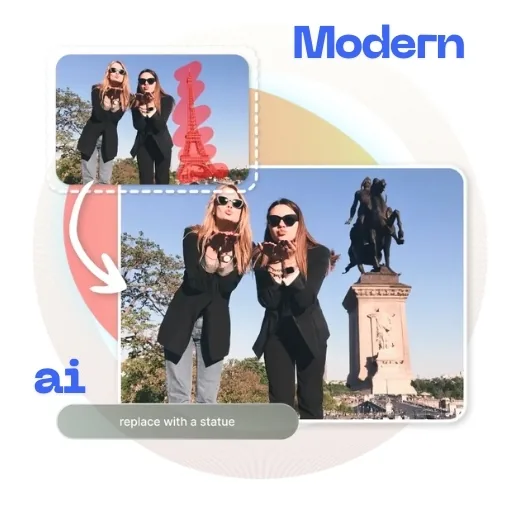
AI image replacer for social media content creators
Polish travel shots, lifestyle posts, and promotional images by removing unwanted details and inserting better-fitting elements. Guide the tool with simple prompts so your content looks curated and on-brand without hours of manual editing.
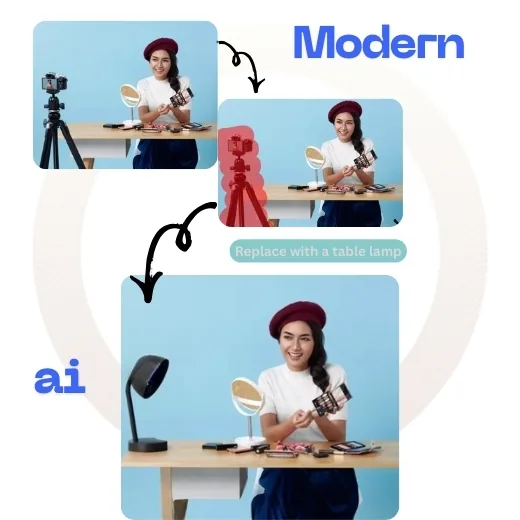
Replace clutter with matching aesthetics in product photos
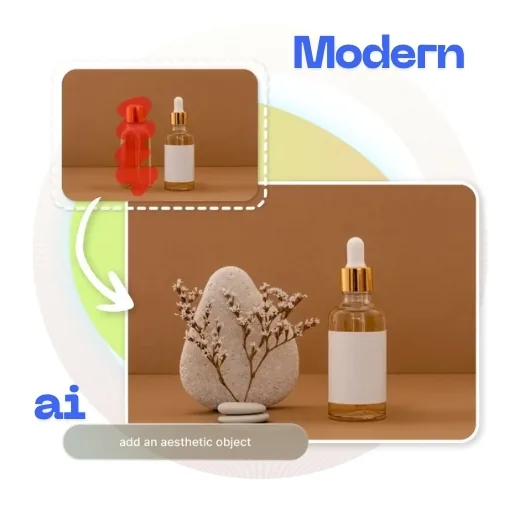
Clean up product photos taken in busy environments by replacing distracting objects with props that fit the style of your brand. Add or swap items in the frame so the final image feels cohesive, similar to generative fill in pro editing software—all from your browser.
AI Replace: frequently asked questions
Answers to common questions about how AI Replace works, what it can edit, and how to guide results with prompts.
About AI Replace
Our ai replace tool uses advanced AI algorithms to replace objects or areas in your images with AI-generated content that seamlessly blends with the rest of the image. This tool is perfect for photographers, designers, social media managers, and anyone who wants to enhance their images.
Unlike other tools, ModernPhotoTools offers this service completely free with no watermarks. Try it now and see the difference!