AI Prompt Generator
Frequently Asked Questions
Learn how to use the AI Prompt Generator to turn rough ideas into polished, high-performing prompts for image generation and photo editing.
The best AI image generation prompts describe what is in the image, what you want to change, and how the final result should look. Short prompts like "edit this product photo" give the AI almost no direction, while structured prompts built with this tool spell out subject, style, lighting, and constraints.
A typical before/after looks like this. Before: "Fix my portrait." After using the generator: "Retouch this indoor portrait photo, soften skin while keeping natural pores, brighten the eyes slightly, reduce dark circles, keep the original background, and avoid changing the face shape or expression." The second version is far easier for any AI model to follow.
4 Secrets to Writing AI Prompts Like a Pro
The problem isn't the AI. It's how you're talking to it.
Why Your Prompts Fail
An AI can't read your mind. It understands what you write, not what you think. A vague question gets a vague answer. A specific, detailed prompt gets a specific, detailed result. This is the entire secret to "prompt engineering."
The Vague Prompt
You ask a coworker, "How's it going?"
The Pro Prompt
You ask, "Where are we on the Q3 report for the exec meeting tomorrow?"
Use a Framework, Not a Guess
Professionals don't guess. They use frameworks—structured templates—to ensure every prompt contains all the information an AI needs. Here are the four frameworks you can use to get expert results, every time.
Secret 1: The ICDF Framework
This is the perfect framework for daily tasks and data analysis. It ensures you provide a complete request.
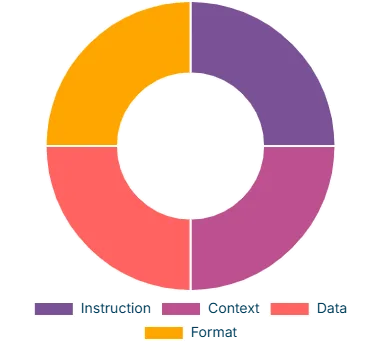
Most users only provide the "Instruction," leading to incomplete results.
- I - Instruction: What is the core task? (e.g., "Analyze...")
- C - Context: Why do you need this? Who is it for? (e.g., "For a marketing meeting...")
- D - Data: What data should it use? (e.g., "Use the attached file...")
- F - Format: How should it be presented? (e.g., "As a 3-section email...")
Example: Analyzing Sales Data
[Instruction] Analyze the attached sales data.
[Context] I need to present a monthly summary to my manager for our marketing team meeting. The goal is to identify our top-performing product and the product with the most significant drop.
[Data] The data includes product names, units sold, and revenue for July, August, and September.
[Format] Present the analysis as a clean, bulleted list with three clear sections: 1. Top Performing Products, 2. Underperforming Products, and 3. Short Recommendations.
Secret 2: The RCREOC Framework
Use this to turn the AI from a simple tool into an expert "AI Agent" that works for you by giving it a specific job.
The "AI Agent" Workflow
- R - Role: Who is the AI? (e.g., "You are an expert Assistant Project Manager...")
- C - Context: What is the situation? (e.g., "You review weekly reports...")
- R - Request: What is the specific task? (e.g., "Extract recurring problems...")
- E - Examples: Show it what a good answer looks like.
- O - Output: What is the final format? (e.g., "A table with 3 columns...")
- C - Constraints: What are the rules? (e.g., "Each entry must be less than 3 lines...")
Example: Analyzing Team Reports
[Role] You are an Assistant Project Manager on a tech team.
[Context] Your job is to review weekly reports to find problems and solutions.
[Request] Review this report and extract: 1. Recurring issues, 2. Team suggestions, 3. Your recommendations.
[Output] Format as a 3-column table: 'Issue', 'Proposed Solution', 'Recommendation'.
[Constraints] Each entry must be under 3 lines.
Secret 3: The MICRO Framework
This is the ultimate framework for all content creation, from blog posts to video scripts.
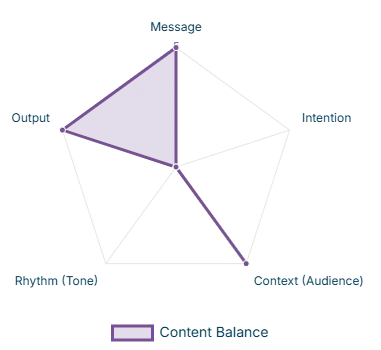
A great piece of content balances all axes.
- M - Message: What is the core takeaway?
- I - Intention: What is the goal? (Persuade, inform, motivate...)
- C - Context (Audience): Who is this for?
- R - Rhythm (Tone): What is the style? (Formal, funny, motivational...)
- O - Output: What is the final format? (Blog post, 5-min video script...)
Example: Writing a YouTube Script
[Output] Write a 5-minute YouTube script with an intro, body, and conclusion.
[Message] Help college students organize their study time effectively.
[Intention] Persuade students that AI is a tool for success, not for cutting corners.
[Context/Audience] US college students who are stressed and want realistic solutions.
[Rhythm/Tone] Fast-paced, encouraging, and motivational.
Secret 4: The COSTAR Framework
This framework makes the AI think like a professional marketer. Perfect for emails, ads, and landing pages.
The Marketing Funnel Workflow
- C - Context: What is this for? (e.g., "A marketing email...")
- O - Offer: What is the promotion? (e.g., "25% off for 72 hours...")
- S - Style: What is the tone? (e.g., "Simple, warm, and helpful...")
- T - Target: Who is the audience? (e.g., "Busy homeowners 25-45...")
- A - Action: What should they do? (e.g., "Click the 'Shop Now' link...")
- R - Result: What is the business goal? (e.g., "Boost sales...")
Example: Writing a Promo Email
[Context] Write a marketing email for a new promotion on smart home cleaning products.
[Offer] 25% off all smart cleaning tools, online only for 72 hours.
[Style] Simple, warm, and helpful. Like a friendly tip, not a sales pitch.
[Target] Busy homeowners (25-45) who value their free time.
[Action] Click the 'Shop Now' link before the sale ends.
[Result] Boost sales and attract new customers.
Why Choose Generate Prompt AI?
Instant Enhancement
Get immediate improvements to your Prompts using advanced AI techniques.
Smart Analysis
Our system uses sophisticated analysis techniques to understand your Prompt context and provide optimal suggestions.
Precision Results
Get accurate and relevant responses from AI with our enhanced Prompts.
Frequently Asked Questions
What is the AI Prompt Generator?
A free web tool that transforms a simple idea into a professional prompt using frameworks like COSTAR, MICRO, ICDF, and RCREOC. It analyzes intent, suggests structured fields, and assembles a polished prompt ready for ChatGPT, Claude, or Gemini.
How does the AI Prompt Generator work?
You enter a short idea; the analyzer detects the best framework; the backend uses OpenRouter with GPT‑OSS‑120B to generate structured suggestions; the UI lets you refine each field and outputs a final prompt you can copy.
Can I use the tool for free?
Yes. It is completely free and requires no registration.
What use cases does the tool support?
Marketing emails and ads (COSTAR), content scripts and posts (MICRO), data analysis and reporting (ICDF), expert reviews and critiques (RCREOC), plus general prompt polishing for chat models.
How can I ensure high-quality Prompts?
Provide clear context and goals, include relevant data or constraints, select the right framework, and refine the suggested fields for accuracy before copying the final prompt.
Do the generated Prompts support all AI models?
The tool is designed to support popular AI models like ChatGPT, Claude, and Gemini, but it is also adaptable to most other models. You may need slight adjustments to fit the specific requirements of the model you are using.