How to Write AI Logo Prompts That Actually Work: 10+ Copy-Paste Examples
Quick Summary
To create a professional logo with AI, your prompt needs five elements: a clear subject, an intended mood, a use context, a visual style, and a format specification. The MICRO framework structures these into a single prompt that AI tools like Midjourney, DALL-E 3, and Flux can interpret reliably. This guide covers that framework step-by-step, provides 10+ copy-paste prompts by logo category, flags the most common mistakes, and includes a complete worked example from brief to final prompt.
MidjourneyDALL-E 3FluxVector LogosPrompt Engineering
The Problem: Why Most AI Logo Prompts Fail
AI image generators are not mind readers. When you type "make me a logo for a coffee shop," the model has no information about your intended style, color palette, level of detail, or output format. The result is a generic image that looks nothing like a usable logo.
| Weak Prompt | What AI Produces | The Missing Information |
|---|---|---|
| "A logo for a gym" | Generic dumbbell icon, photorealistic shading, random colors | Style, color palette, typography intent, format, mood |
| "Coffee shop logo" | Realistic photograph of a coffee cup | Vector vs. photo, badge vs. icon, era/style, brand tone |
| "Tech startup icon" | Cluttered illustration with gradients and drop shadows | Simplicity level, specific geometric form, use context |
The fix is not a better AI model — it is a better-structured prompt. The MICRO framework below eliminates ambiguity on every dimension that determines logo quality.
Step-by-Step: The MICRO Framework
MICRO is a five-element prompt structure designed for AI logo generation. Each element fills in one critical dimension that AI needs to produce a targeted, professional result instead of a generic average.
M — Message (Core Subject)
Define the central visual element. Be specific. "A lion" is better than "an animal." "A geometric fox head" is better than "a fox." Specificity at this stage eliminates the widest range of misinterpretations.
Examples: A lightning bolt, a coffee bean branch, an interconnected hexagon, a samurai helmet, the letter "M"
I — Intention (Mood and Goal)
State the emotional register the logo needs to communicate. This governs weight, contrast, and compositional tension in the output.
Examples: Professional and trustworthy, aggressive and high-energy, elegant and minimal, playful and approachable, bold and authoritative
C — Context (Use Case)
Specify where the logo will be used. This tells the AI what density of detail is appropriate — a mobile app icon needs different complexity than a vintage badge.
Examples: Mobile app icon, tech startup branding, coffee shop badge, esports team identity, fashion brand wordmark
R — Rhythm (Visual Style)
Specify the design language explicitly. Without this, AI defaults to whatever style is statistically most common in its training data for that subject — which is rarely what you want.
Examples: Flat vector minimalist, 3D claymorphism, glassmorphism, vintage engraving line art, bold geometric, Art Deco, retro 1970s national park
O — Output (Format Specification)
Define the technical output requirements. This is the most commonly omitted element and the most important for usability. Without format specification, AI generates photorealistic renders with gradients, shadows, and textures that cannot be used as logos.
Examples: White background, vector style, flat design, no shading, no realistic details, no drop shadows, clean transparent-ready output
Skip the Manual Work
The AI Prompt Generator applies the MICRO framework automatically. Enter a basic idea and get a fully structured prompt in seconds.
Try the AI Prompt Generator Free10+ Ready-to-Use AI Logo Prompts by Category
Each prompt below is built using the MICRO framework. Copy directly into Midjourney, DALL-E 3, or Flux. Adjust the subject, colors, and company context to fit your brand.
Minimalist & Tech Logos
Best for: SaaS products, tech startups, mobile apps — any brand that needs to communicate clarity, speed, and modernity.
Design principle: Clean lines, negative space, and geometric shapes. The goal is a mark that reads clearly at 16px and scales to billboard size without quality loss.
Prompt 1: Geometric Animal
A minimalist vector logo of a geometric fox head. Flat design, clean lines, golden ratio composition. Using a color palette of electric blue and white. White background. --no shading, no realistic details
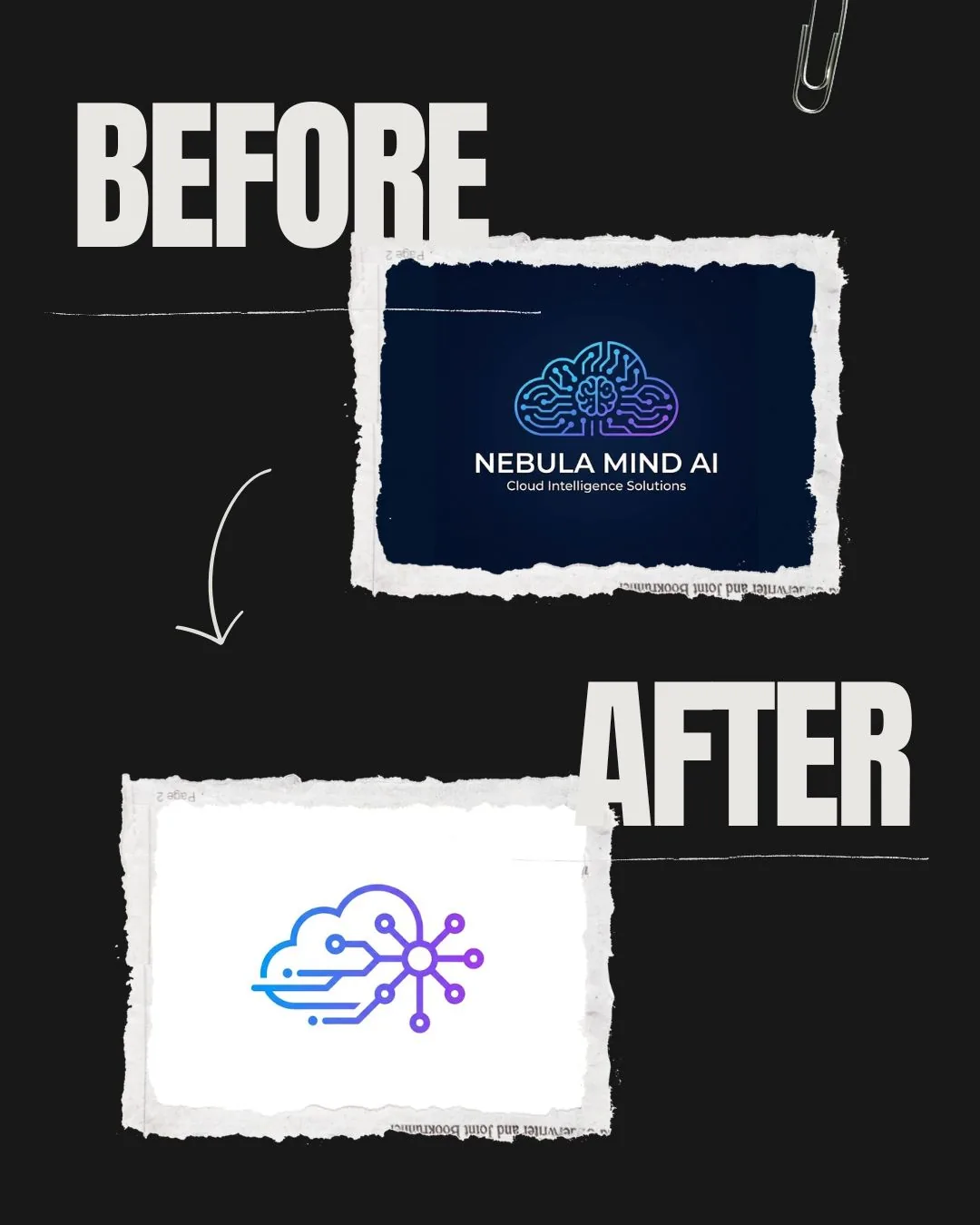
Prompt 2: Abstract Tech Icon
An abstract icon representing 'data connection'. Interconnected nodes forming a hexagon. Gradient coloring from cyan to purple. Tech startup aesthetic, modern, sleek. White background.
Prompt 3: Lettermark
A modern lettermark logo for the letter 'M'. Bold sans-serif typography, incorporating a lightning bolt into the negative space. Black and yellow color scheme. Vector style.
3D & Isometric Logos
Best for: Creative agencies, crypto projects, digital products — brands where premium visual depth communicates product quality.
Design principle: Claymorphism (soft 3D matte renders) or glassmorphism (translucent frosted surfaces) produce tactile, modern results. Both require explicit lighting and finish specifications or AI defaults to flat output.
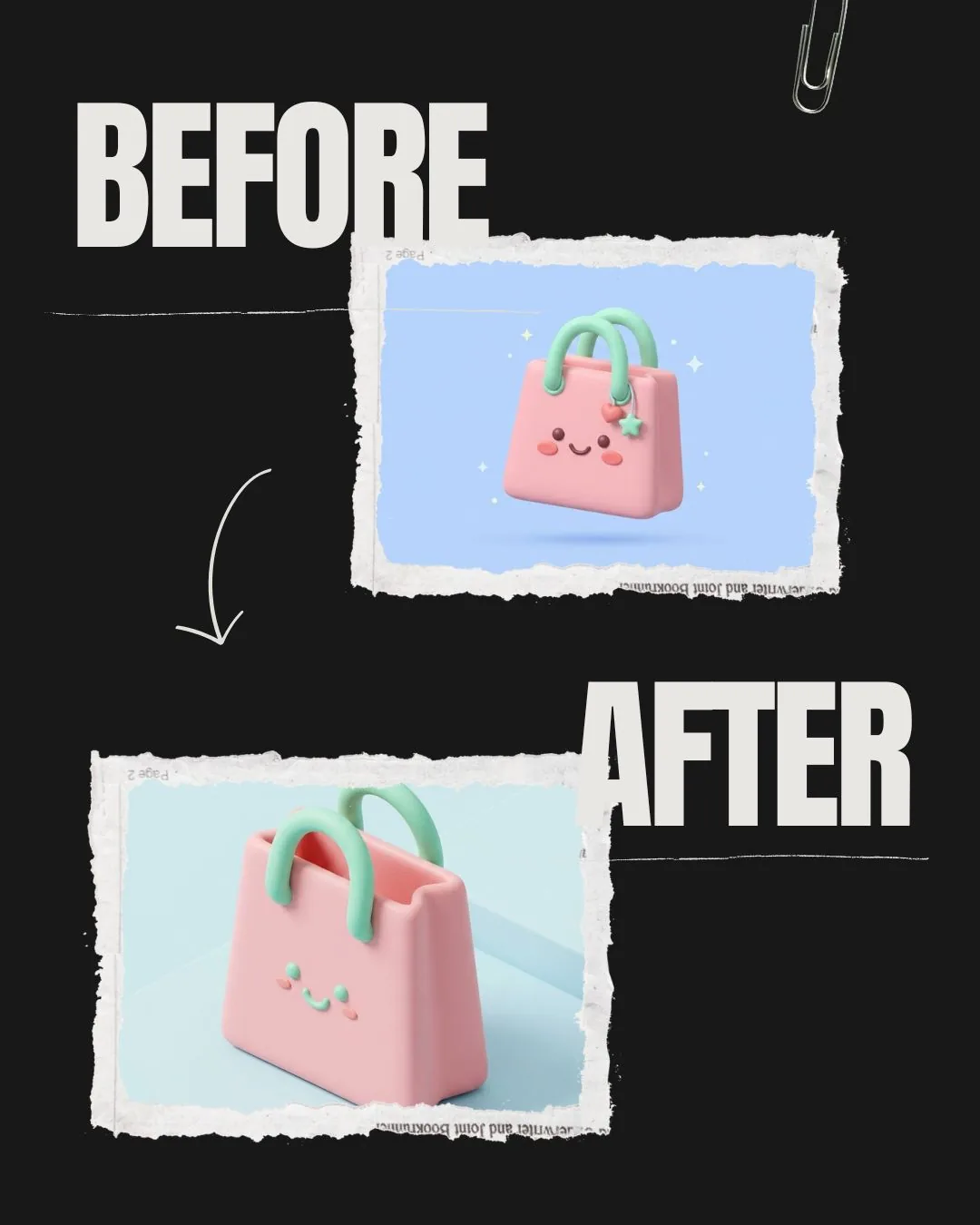
Prompt 4: Claymorphism Style
A cute 3D isometric logo of a shopping bag. Claymorphism style, soft rounded edges, matte finish. Soft studio lighting, pastel pink and mint green colors. 4k resolution, high fidelity.
Prompt 5: Glassmorphism Style
A futuristic 3D logo of a shield. Glassmorphism style, translucent frosted glass texture, glowing neon edges. Cyberpunk aesthetic. Dark background to highlight the glow.
Vintage & Retro Badges
Best for: Coffee shops, breweries, barber shops, outdoor brands — businesses where heritage and craft are core to the brand identity.
Design principle: Detailed line work, muted earth tones, and classic typography. Specifying "engraving style" or a specific decade (1970s, 1890s) gives AI a precise stylistic anchor that produces consistent vintage output.
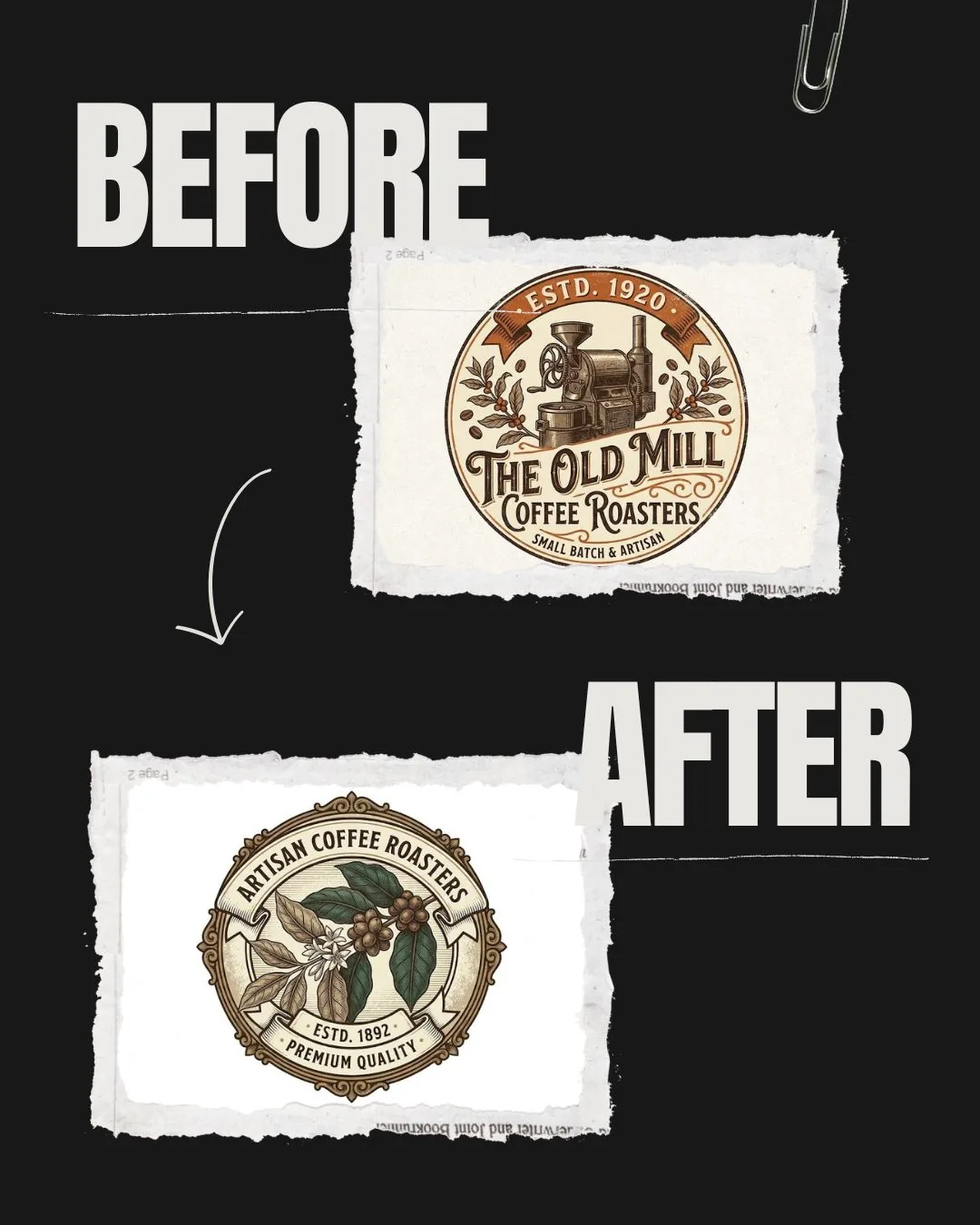
Prompt 7: Coffee Roaster Badge
A vintage badge logo for a coffee roaster. Central illustration of a coffee bean branch. Intricate line art, engraving style. Muted earth tones (brown, cream, forest green). Text placeholders on top and bottom. White background.
Prompt 8: Outdoor Adventure Brand
A retro outdoor adventure logo patch. Illustration of a mountain peak at sunset. 1970s national park poster style. Distressed texture, bold vector lines.
Mascots & Character Logos
Best for: Esports teams, food brands, YouTube channels — brands built around personality and recognizable characters.
Design principle: Thick outlines, high contrast, and dynamic poses. Specifying the art style (vector art, comic book, cartoon) prevents AI from generating photorealistic character renders that cannot function as logos.
Prompt 9: Esports Samurai
An aggressive esports mascot logo of a samurai. Vector art, thick bold outlines, sharp angles. Red, black, and silver color palette. High contrast, dynamic pose.
Prompt 10: Food Brand Character
A friendly cartoon mascot logo of a chef bear. Rounded shapes, thick black outlines, flat color fill. Warm orange and cream color palette. White background, vector style, no gradients.
Luxury & Elegant Logos
Best for: Fashion brands, real estate agencies, consulting firms — businesses where the logo must signal exclusivity and refinement.
Design principle: Thin line weights, serif typography, gold or monochrome palettes, and minimal ornamentation. Specifying "thin line art" prevents AI from generating the heavy strokes it defaults to for general logo requests.
Prompt 11: Floral Monogram
An elegant monogram logo intertwining letters 'A' and 'S'. Thin line art style, incorporated with delicate floral vines. Gold foil texture on black background. Serif typography.
Prompt 12: Real Estate Wordmark
A luxury real estate wordmark logo. Clean geometric sans-serif lettering with a minimal house icon integrated into the letterform. Platinum and deep navy color palette. White background, flat vector, no drop shadows.
Practical Example: Building a Prompt from Scratch
This example walks through the complete process of converting a real brand brief into a working MICRO prompt, showing each decision and its rationale.
Brief: Logo for a fitness app targeting women aged 25–40
Brand values given: Empowering, modern, clean. Not aggressive. Not hyper-feminine.
Message — What is the core visual?
A flame combined with a minimalist female silhouette in a dynamic pose. The flame represents energy and transformation without aggression.
Intention — What mood?
Empowering, clean, modern. Avoid anything that reads as aggressive or overtly sporty.
Context — Where will it be used?
Mobile app icon and social media profile. Needs to read clearly at small sizes — so high detail is counterproductive.
Rhythm — What visual style?
Flat minimalist vector. Single-weight lines. No gradients or textures — app icons need flat, scalable artwork.
Output — What format?
White background, flat vector, no shading, no drop shadows, no realistic details.
Final Assembled Prompt
A minimalist vector logo combining a flame shape with a simplified female silhouette in a dynamic standing pose. Flat design, single-weight clean lines, empowering and modern aesthetic. Designed for a fitness mobile app icon. Terracotta and off-white color palette. White background, no shading, no gradients, no realistic details, vector style.
Pro Tips for Professional Results
- Always specify "White Background": White-background output feeds directly into the Background Remover for a clean transparent PNG — the standard deliverable format for logos.
- Use "Vector Style" and "Flat Design" together: "Vector" alone is sometimes interpreted as 3D vector renders. Adding "flat design" and "no shading" locks AI to the clean 2D output that logos require.
- Name a specific color palette, not a mood: "Warm colors" is ambiguous. "Terracotta, cream, and forest green" is specific. AI interprets named colors reliably — moods translate inconsistently.
- Add negative keywords in Midjourney: Use
--no photorealistic, --no drop shadows, --no gradientsto block the default rendering behaviors that make logos unusable. - Upscale before delivery: AI generators output at low resolution. Run every final logo through the AI Image Upscaler to produce print-ready resolution before sending to a client or uploading to any platform.
- Generate 4 variations, then refine one: Use the first generation pass to test whether the prompt direction is correct, not to produce a final asset. Select the strongest variation and refine the prompt based on what was closest to the brief.
Common Mistakes to Avoid
- Describing a feeling instead of a form: "Make it look powerful" gives AI nothing actionable. "Thick bold outlines, high contrast, sharp angles" describes the same intent in visual terms AI can execute.
- Using only one or two words: Short prompts force AI to fill in every unspecified dimension from statistical averages. The output looks like a combination of the most common logos in the training data — generic by construction.
- Skipping the format specification: Without "white background, flat vector, no shading," AI generates photorealistic renders with complex lighting, texture, and depth — none of which transfers to logo use.
- Asking for text inside the logo: AI text generation remains unreliable in 2025. Requesting specific words inside a logo image produces misspellings, distorted letterforms, and inconsistent typography. Generate the icon mark first, then add typography in a vector tool or Canva.
- Treating the first output as final: The first generation tests whether the prompt structure is correct. Refining the prompt after seeing the first output is standard practice — not a sign the tool is failing.
- Applying portrait or product AI enhancement to logos: If you run your logo through an AI photo enhancer after generating it, use general enhancement only. Portrait AI and product AI modes add skin smoothing and object sharpening that distort flat vector artwork.
How to Generate Custom Prompts Automatically
The MICRO framework produces strong results when applied manually, but for rapid iteration across multiple brand concepts, building each prompt from scratch is a bottleneck. The AI Prompt Generator applies the framework automatically — enter a basic idea and receive a fully structured prompt optimized for Midjourney, DALL-E 3, or Flux.
- Go to ModernPhotoTools Prompt Generator.
- Enter a basic idea: "Logo for a gym targeting professional women."
- Select your target tool: Midjourney, DALL-E 3, or Flux.
- Click Generate — the tool applies the MICRO and COSTAR frameworks to expand your brief into a complete, deployment-ready prompt.
- Copy the output directly into your AI image generator.
Generate Your Prompt Now
Skip the manual MICRO framework work. Enter a brief and get a professional prompt structured for Midjourney, DALL-E 3, or Flux in seconds.
Try the AI Prompt Generator FreeFrequently Asked Questions
How do I ask AI to make a vector logo?
Add these terms to your prompt: "flat vector," "clean lines," "no shading," "no gradients," "white background." These four specifications together lock AI away from photorealistic rendering and into clean, flat output appropriate for logo use. "Vector style" alone is insufficient — AI interprets it inconsistently without the supporting format terms.
What is the best AI prompt structure for logo design?
The MICRO framework: Message (core visual subject), Intention (mood and brand goal), Context (use case — app icon, badge, wordmark), Rhythm (design style — minimalist, vintage, 3D), Output (format specification — white background, flat design, no shadows). All five elements are required to eliminate the ambiguity that produces generic AI output.
Which AI tool is best for logo generation — Midjourney, DALL-E 3, or Flux?
Midjourney produces the highest aesthetic quality for artistic and stylized logos and offers the most control via parameter flags (--no, --style, --stylize). DALL-E 3 interprets detailed text descriptions most accurately and handles complex compositional briefs well. Flux generates clean flat vector-style output reliably without requiring as many negative keywords. For structured prompts using the MICRO framework, all three produce usable results — the primary differentiator is your prompt quality, not the tool.
Can I use AI-generated logos commercially?
Commercial use rights depend on the specific tool and subscription tier. Midjourney allows commercial use on all paid plans. DALL-E 3 grants commercial rights to users under OpenAI's terms of service. Flux varies by deployment. Always verify the current terms of the specific tool you are using before applying AI-generated artwork to commercial deliverables, product packaging, or registered trademarks.
How do I make an AI logo print-ready?
Three steps: (1) Generate with a white background and flat vector specifications. (2) Run the output through the AI Image Upscaler to reach print resolution — most AI generators output at 1024px or lower, which is insufficient for physical print. (3) Use the Background Remover to create a transparent PNG. For scalable vector format (SVG/EPS), trace the upscaled PNG in Adobe Illustrator or Inkscape using Image Trace.
The Future of AI Logo Design
The workflow described in this guide — structured prompt → AI generation → upscaling → background removal — represents the current standard for AI-assisted logo production. The bottleneck is prompt quality, which is why the MICRO framework exists.
In the near term, two developments will change this workflow significantly. First, AI tools are developing better understanding of brand context — future versions will be able to ingest a brand brief document and generate prompts automatically rather than requiring manual MICRO structuring. Second, native vector output (SVG directly from AI, rather than raster-to-vector conversion) is becoming viable. Flux and several research models already produce cleaner geometric output than Midjourney's current raster pipeline, and SVG-native generation will eliminate the upscaling and tracing steps entirely.
The skill that retains value through both changes is the ability to specify brand intent precisely — which is exactly what the MICRO framework trains. The delivery mechanism will shift; the underlying logic of clear specification will not.
Start Building Your Brand with AI
Use the AI Prompt Generator to create structured prompts for Midjourney, DALL-E 3, and Flux — no framework memorization required.
Try the AI Prompt Generator Free