How to Use Christmas Art Prompts: Step-by-Step Guide with 50+ Examples
Christmas art prompts are short scene descriptions that eliminate creative block and give AI tools like Midjourney and Stable Diffusion a precise visual brief. This guide covers how to write them, how to structure them for different tools, 50+ copy-paste examples by category, and the mistakes that cause weak output — for both AI generation and traditional art.

Table of Contents
- Quick Summary
- The Problem: Why Vague Christmas Prompts Fail
- Step-by-Step: How to Write an Effective Christmas Art Prompt
- 50+ Christmas Prompts: Midjourney
- Christmas Prompts: Stable Diffusion
- Using ChatGPT as a Christmas Prompt Generator
- Practical Example: From Brief to Final Prompt
- Traditional Art Themes (No AI Required)
- Pro Tips for Better Christmas Art
- Common Mistakes to Avoid
- Creative Christmas Art Challenges
- Frequently Asked Questions
- The Future of AI Seasonal Art
Quick Summary
A Christmas art prompt is a structured text description that tells an AI image generator — or a traditional artist — exactly what scene to create. The difference between a prompt that produces generic output and one that produces a usable, polished image is specificity: subject, mood, lighting, style, and output format all need to be explicit. This guide gives you the framework for writing those prompts, 50+ ready-to-use examples for Midjourney and Stable Diffusion, a worked example from brief to final prompt, the most common mistakes, and pro tips for getting professional-quality results from any tool.
| Weak Prompt | What It Produces | Structured Prompt | What It Produces |
|---|---|---|---|
| "Christmas scene" | Generic tree, inconsistent style, random lighting | "Victorian living room, Santa placing gifts under a glowing Christmas tree, warm fireplace, 8k, cinematic --ar 16:9" | Specific setting, controlled atmosphere, usable composition |
| "Snow at night" | Overexposed blue-grey image, no focal point | "Carolers under a gas street lamp, Victorian London, falling snow, warm contrast against cold night" | Clear subject, defined light source, narrative atmosphere |
| "Christmas card" | Clip-art style, no design space | "Watercolor pine tree, minimal brush strokes, gold leaf accents, white background, typography space, elegant" | Print-ready composition with layout area for text |
The Problem: Why Vague Christmas Prompts Fail
AI image generators produce statistically average output when given minimal direction. Type "Christmas scene" into Midjourney and you get the visual average of every Christmas image in the training data — a predictable tree, generic lighting, and no compositional intent. The output is not bad; it is just average by construction.
The same problem applies to traditional art. "I'll draw something Christmassy" leads to the default snowman or Christmas tree because the brain defaults to the most common interpretation when no specific brief exists.
The five dimensions that determine Christmas art quality are: Subject (what is in the scene), Mood (the emotional register — cozy, dramatic, whimsical), Lighting (warm firelight, cold moonlight, neon), Style (photorealistic, watercolor, vector, Pixar), and Output Format (aspect ratio, background color, resolution). Specifying all five is what separates a professional-quality prompt from a generic one.
Step-by-Step: How to Write an Effective Christmas Art Prompt
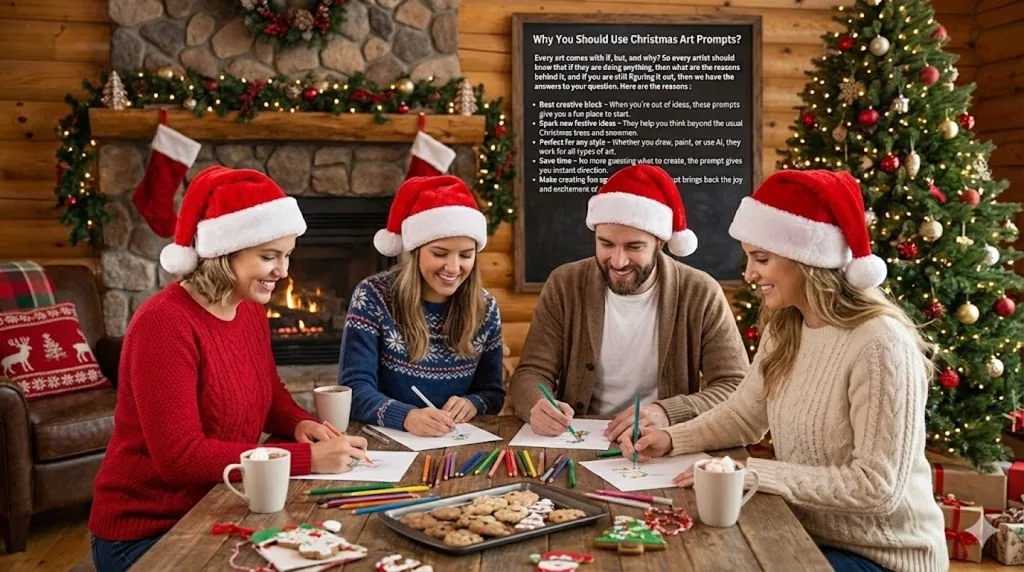
This five-step framework applies to Midjourney, Stable Diffusion, DALL-E 3, and any other text-to-image tool. It also works as a brief for traditional art — each step gives you a clearer creative direction before picking up a pencil or brush.
Define the Subject Specifically
State the central element with enough specificity that it cannot be misinterpreted. "Santa" is ambiguous — age, setting, clothing style, and pose are all unspecified. "Santa placing wrapped gifts under a lit Christmas tree in a Victorian living room" leaves nothing to average-case assumption.
Weak: "Santa Claus" | Strong: "Santa Claus in a red velvet coat, placing gifts under a decorated pine tree, Victorian fireplace visible in the background"
State the Mood Explicitly
Mood governs color temperature, contrast, and composition weight. Do not leave it implied. "Cozy and warm," "dramatic and cinematic," "whimsical and playful," and "serene and peaceful" produce fundamentally different images even from the same subject description.
Weak: "a Christmas market" | Strong: "a Christmas market at night, warm glowing stalls, soft snowfall, intimate and cozy atmosphere, low light photography"
Specify the Lighting Source
Lighting is the single most impactful technical parameter in Christmas imagery. The difference between "warm fireplace glow," "cold blue moonlight," "neon red and green city lights," and "soft studio lighting" is the difference between four entirely different images from the same subject. Name your light source explicitly.
Weak: (no lighting specification) | Strong: "single light source from a fireplace, warm amber glow, deep shadows on left, glowing embers visible"
Name the Visual Style
Without a style specification, AI defaults to photorealism. If you need watercolor, vector, illustration, oil painting, or Pixar-style 3D, you must state it directly. For traditional artists, naming a reference style (Thomas Kinkade, Claude Monet, retro 1950s poster) gives the creative process a concrete visual anchor.
Examples: "Pixar 3D animation style" | "impressionist oil painting, visible brush strokes" | "flat vector illustration, no gradients" | "watercolor on white paper, soft edges" | "vintage 1950s postcard, grain filter"
Define the Output Format
Specify aspect ratio, background requirements, and any layout needs before you generate. A Christmas card needs different proportions than a social media banner or desktop wallpaper. For Midjourney, use --ar flags. For print, specify resolution. For design use, specify whether a clean background or typography space is needed.
Examples: --ar 16:9 for widescreen | --ar 5:7 for card print | "white background, space for text at top and bottom" | "4k resolution, high fidelity" | "--tile" for seamless repeat patterns
50+ Christmas Prompts: Midjourney
These prompts are structured using all five dimensions from the framework above. Copy directly into Midjourney and adjust subject, colors, or dimensions for your specific output. Each prompt includes the key parameters that determine the result — removing them will reduce output quality.
Classic and Nostalgic Scenes

- Santa's Visit:
cinematic shot, Santa placing gifts under a glowing Christmas tree in a Victorian living room, warm fireplace lighting, highly detailed, 8k resolution, --ar 16:9 - The Snowman:
a group of children building a snowman in a front yard, knitted scarves, soft daytime winter light, joyful atmosphere, Pixar style - The Night Before:
stockings hung by the fireplace, glowing embers, cookies on a plate, cozy interior design, photorealistic - Reindeer Flight:
silhouette of Santa's sleigh flying across a full moon, magical sparkles, dark blue night sky, starry background - Carolers:
a group of carolers singing under a gas street lamp, Victorian London, falling snow, warm contrast against cold night
Holiday Card Designs
Use these prompts for printable Christmas cards. Each includes a white background or layout space for typography.
- Minimalist Tree:
a watercolor painting of a pine tree, minimal brush strokes, gold leaf accents, white background, elegant typography space - Cute Animals:
a fluffy baby penguin wearing a red Santa hat, soft felt texture, pastel snowy background, cute illustration style - Vintage Postcard:
retro 1950s Christmas postcard design, vintage car carrying a tree, snowy road, nostalgic grain filter - Holy Night:
nativity scene, silhouette style against a deep blue starry sky, gold gradients, peaceful and spiritual - Wreath Design:
intricate holly and berry wreath, watercolor style, centered composition, white background
Gift Wrap and Seamless Patterns
Use the --tile flag in Midjourney for seamless repeat patterns suitable for printed wrapping paper or digital backgrounds.
- Candy Cane Repeat:
seamless pattern design, candy canes and peppermint swirls, red and white color palette, flat vector style, --tile - Nordic Knit:
knitted sweater pattern, reindeer and snowflakes, red and white, cozy texture, seamless, --tile - Elegant Gold:
gold stars and moon seamless pattern on deep navy blue background, elegant, metallic texture, --tile - Retro Toys:
vintage toy pattern, wooden soldiers and rocking horses, muted vintage colors, seamless - Gingerbread Village:
seamless pattern of cute gingerbread houses and gumdrops, pastel colors, illustration style, --tile
Marketing and Commercial Visuals
For business use — ads, banners, social media hero images, and product placement.
- Product Placement:
a luxury perfume bottle placed on snow, surrounded by pine cones and red berries, professional product photography, bokeh background - Storefront:
a cozy coffee shop storefront decorated for Christmas, warm glowing windows, snowy street, inviting atmosphere - Sale Banner:
3D render of a red gift box bursting open with golden confetti, space for text, high energy, commercial style - Cozy Workspace:
a modern desk setup with Christmas decorations, laptop open, warm coffee cup, flat lay photography - Party Vibes:
champagne glasses clinking, gold and silver bokeh, New Year's Eve party atmosphere, celebratory
Artistic and Experimental
These prompts produce art-print-quality output suited for digital galleries, home décor prints, or high-engagement social media posts.
- Paper Cutout:
layered paper cutout art of a winter forest, depth of field, white and blue paper tones, shadow box effect - Stained Glass:
stained glass window design of an angel, vibrant colors, light passing through, intricate lead lines - Cyberpunk Christmas:
futuristic Christmas city, neon red and green lights, snow falling, cyberpunk aesthetic - Oil Painting:
impressionist oil painting of a Christmas market at night, brush strokes visible, Claude Monet style - Macro Snowflake:
macro photography of a single intricate snowflake, frozen details, blue and silver lighting
Christmas Prompts: Stable Diffusion
Stable Diffusion responds well to rich texture and material descriptions. These prompts are structured for open-source models and include the detail level that produces consistent results across different model checkpoints.
- Winter Landscape:
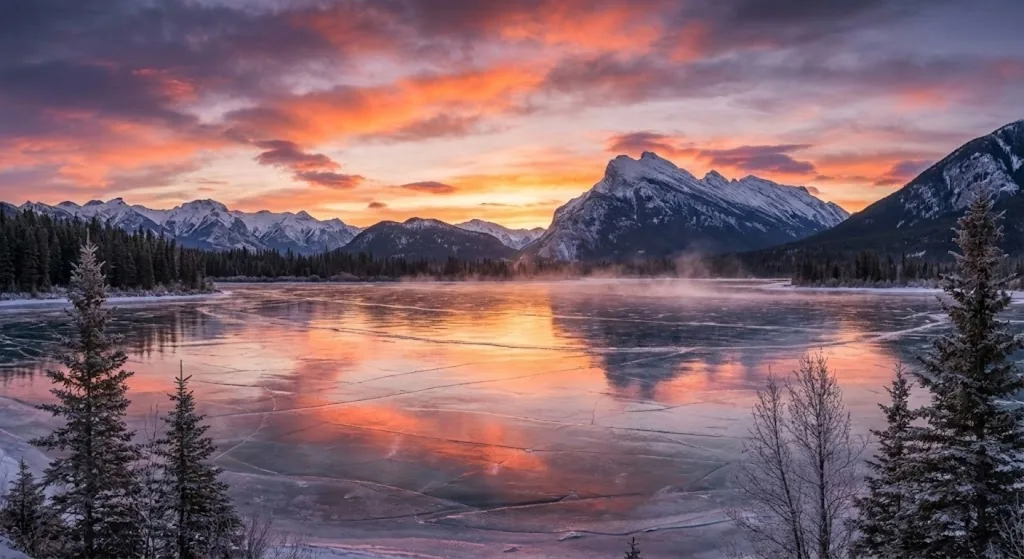
hyper-realistic landscape, frozen lake at sunset, pink and orange sky, reflection on ice surface, 8k, majestic snow-capped mountains in background - The Nutcracker:
detailed illustration of the Nutcracker Prince, fantasy style, magical sparkles, vibrant royal uniform, storybook painting - Cozy Reading:
anime style, girl reading a book by a window, snow falling outside, oversized knit sweater, warm interior lighting, lo-fi aesthetic - Gingerbread House:
a gingerbread house in a candy forest, macro photography, icing details, gumdrop path, shallow depth of field - Steampunk Santa:
Santa Claus in steampunk gear, brass goggles, mechanical sleigh, steam engine aesthetic, detailed metalwork - Crystal Tree:
a Christmas tree made entirely of crystal and glass, refracting light, prism effect, white background, product photography lighting - Elf Portrait:
portrait of a Christmas elf, highly detailed face, freckles, pointed ears, toy workshop background, digital painting, dramatic lighting - Snow Globe:
a magical snow globe containing a miniature village, glowing from within, cinematic lighting, dark background, bokeh - Aurora Borealis:
Santa's sleigh flying past the Northern Lights, green and purple sky, wide angle shot, stars visible, long exposure style - Rustic Cabin:
log cabin in the woods, smoke rising from chimney, heavy snowfall, Thomas Kinkade painting style, golden window light - Christmas Cat:
a fluffy Persian cat sleeping inside a Christmas stocking, cozy, soft studio lighting, shallow depth of field - Ice Sculpture:
ice sculpture of a reindeer, transparent surfaces, blue LED ambient lighting, night time, reflections on wet ground - Lantern Walk:
people walking through deep snow holding glowing lanterns, warm light against cold blue snow, soft focus background, romantic winter atmosphere - Origami Christmas:
Christmas tree made of white origami paper, sharp geometric folds, paper texture, minimal composition, soft directional lighting - Vintage Coca-Cola Style:
classic 1930s commercial illustration style, happy Santa holding a glass bottle, rosy cheeks, clean background, warm tones
Using ChatGPT as a Christmas Prompt Generator
When you need fresh concepts rather than refinements on existing ideas, text-based AI like ChatGPT can generate novel Christmas art concepts that you then turn into structured image prompts. The workflow is: concept generation in ChatGPT → structured prompt writing using the five-step framework → image generation in Midjourney, Stable Diffusion, or DALL-E 3.
Starter Prompts for ChatGPT
Paste these directly into ChatGPT to generate concepts you can then turn into image prompts:
"Describe a whimsical winter scene involving animals that I can paint in watercolor. Include specific details about lighting, mood, and composition.""Give me 5 unique Christmas card concepts that do not use traditional imagery like trees, Santa, or snowmen. Each should have a distinct visual style.""Write a detailed Midjourney text-to-image prompt for a futuristic Christmas city. Include lighting, camera angle, style, and aspect ratio.""Generate a seamless pattern concept for Christmas wrapping paper that would appeal to minimalist design preferences.""Describe a Christmas scene that would work as a hero image for a luxury brand holiday campaign. Include product placement context."
Once ChatGPT returns a concept, apply the five-step framework from the How to Write section above to convert it into a structured prompt before sending to an image generator.
Practical Example: From Brief to Final Prompt
This example shows the complete process of converting a real use case into a working image prompt using the five-step framework.
Brief: Holiday sale banner for a candle brand — Instagram square format
Brand context: Warm, hygge-aesthetic, earthy tones. Not corporate. Not flashy. Target: women 25–45.
Subject
A lit pillar candle on a wooden surface, surrounded by pine cones, dried orange slices, and cinnamon sticks. No model or person in the frame — product-adjacent lifestyle shot.
Mood
Warm, intimate, hygge. The feeling of a quiet winter evening indoors, not a commercial sale environment.
Lighting
Candle as the primary light source. Warm amber glow, soft shadows, no harsh fill light. Background intentionally dim.
Style
Lifestyle flat lay photography. Earthy tones — terracotta, cream, forest green. No white studio background. Slightly textured wooden surface visible.
Output Format
Square crop for Instagram. Negative space at top for text overlay. High resolution for digital use.
Final Assembled Prompt
a lit cream pillar candle on a rough wooden surface, surrounded by pine cones, dried orange slices, and cinnamon sticks, candle as primary warm amber light source, soft dim background, hygge lifestyle flat lay photography, earthy tones, terracotta and forest green accents, negative space at top for text, square composition, --ar 1:1
Traditional Art Themes (No AI Required)
These themes work for pencil, watercolor, marker, and oil paint. They can also be sketched by hand and then enhanced using ModernPhotoTools for cleanup, upscaling, or adjusting the final scan. Each theme includes five specific scene options — not generic categories, but concrete starting points.
1. Classic Christmas
Warm, nostalgic, interior-focused. Strong for traditional media because the lighting conditions (firelight, candles, lamp) translate well to analog techniques.
- A child sitting at a writing desk, composing a letter to Santa, single lamp illuminating the page
- A family dinner table viewed from one end, roast turkey in the center, candles in the middle distance
- Two stockings hung by a brick fireplace, glowing coals, shadow of a rocking chair on the wall
- A stone church exterior at night, lit windows, snow on the roof, single figure walking toward the entrance
- A Christmas market from overhead, looking down at stalls, crowds, and warm vendor lights
2. Winter Wonderland
Nature-focused and exterior. Works particularly well for watercolor and ink because of the tonal range between white snow and dark pine trees.
- A red fox walking across unmarked white snow, single set of tracks behind it
- Icicles hanging from a window ledge, morning light refracting through them
- A path through a dense pine forest, tire tracks in snow, no people visible
- Frost patterns on a single window pane, warm yellow light coming through from behind
- A frozen lake reflecting the last light of sunset, dark tree line in the background
3. Holiday and New Year
High-energy, contrast-heavy. Works well for digital illustration and marker because of the strong color contrasts between dark night sky and bright lights.
- Fireworks over a recognizable city skyline, buildings in silhouette below
- A clock face showing 11:59, crowd visible through a window behind it
- Confetti falling on two hands reaching for champagne glasses
- A group of friends in a tight frame, faces partially illuminated by phone screens and party lights
- The letters "Happy New Year" written in sparklers, long exposure trails, dark background
Pro Tips for Better Christmas Art Output
- Name your light source, not just the mood: "Cozy" does not tell an AI what the light source is. "Single candle on the left, warm amber glow, deep shadows on right" is a lighting specification an AI can execute precisely.
-
Use the
--tileflag for patterns: All wrapping paper and repeat pattern prompts in Midjourney require--tileat the end. Without it, the image will not be seamlessly repeatable. -
Add aspect ratio to every prompt: Default Midjourney output is square. Christmas cards, banners, phone wallpapers, and social posts all have different aspect ratios. Always add
--arbefore generating. - Specify "no text" for clean output: AI models sometimes generate illegible text elements when they detect a design context (cards, banners). Add "no text, no lettering" to prevent this unless you are generating typography-first designs.
- Scan traditional sketches and enhance them: Hand-drawn Christmas art can be scanned or photographed, then run through ModernPhotoTools' AI Image Upscaler to increase resolution for print use, or through the Background Remover to isolate the illustration for use in digital layouts.
- Generate four variations before refining: The first Midjourney generation tests whether the prompt direction is correct. Select the strongest variation and refine the prompt based on what it got right — do not adjust a prompt before seeing what the initial direction produces.
-
Use Stable Diffusion's negative prompt field: Unlike Midjourney's
--noflag, Stable Diffusion has a dedicated negative prompt field. Use it: "blurry, low quality, watermark, text, oversaturated, cartoonish" for photorealistic output; "photorealistic, shading, gradients" for flat vector output.
Common Mistakes to Avoid
- Using only a subject with no other parameters: "A Christmas tree" gives AI five unspecified dimensions. The result is always an averaged version of every Christmas tree in the training data. Add mood, lighting, style, and format before generating.
- Leaving style unspecified for design work: Without a style parameter, AI generates photorealistic output. Photorealistic images cannot be used as wrapping paper patterns, card backgrounds, or vector logos. State "flat vector," "watercolor," or "illustration style" explicitly for design use.
- Requesting text in the image: AI-generated text inside images is consistently inaccurate in 2026. Do not ask for "Merry Christmas" or any specific wording inside the image. Generate the visual without text, then add typography in Canva, Figma, or any design tool.
- Not specifying background for commercial use: If the output will be used in marketing, specify the background explicitly. "White background" for product photography. "Transparent background" after processing through a background remover. "Dark background" when neon or glow effects are part of the design.
- Treating the first output as final: The first generation is a direction test. Adjusting prompts after seeing output is standard workflow — not a sign the tool is underperforming.
- Over-prompting with contradictory style terms: "Photorealistic watercolor minimalist 3D render" contains contradictory style instructions. AI averages across all of them and produces nothing of any style. Pick one primary style and one supporting detail.
Creative Christmas Art Challenges
1. The 12 Days of Christmas Art Challenge
Create one artwork per day for the 12 days leading up to Christmas. Use the classic song as a loose structure — interpret each element literally or abstractly. "A Partridge in a Pear Tree" can be a botanical illustration, a geometric pattern, or a character portrait. The constraint forces creative decisions that open prompting cannot.
2. The Holiday Week Challenge
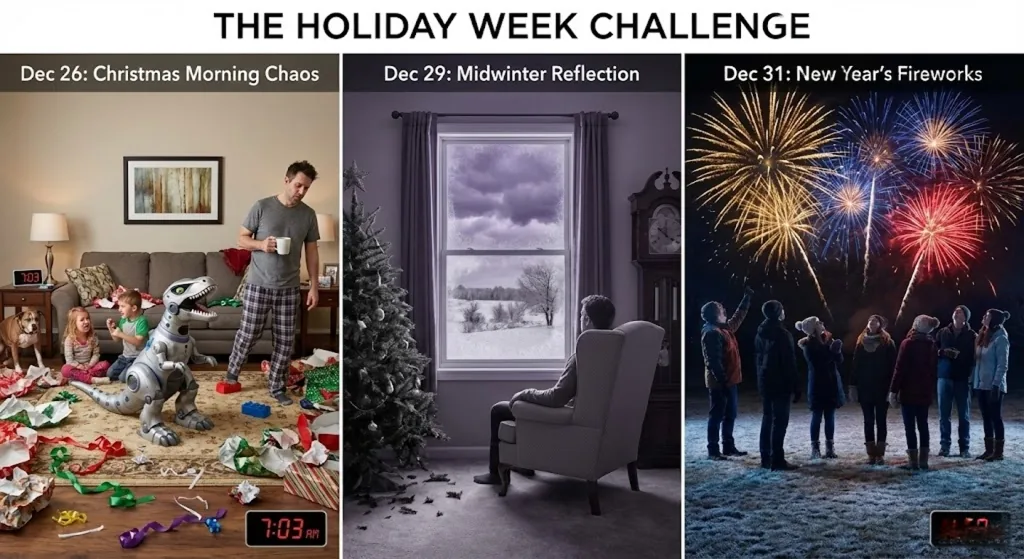
Create three pieces between Christmas and New Year's Eve, each capturing a distinct seasonal mood:
- Dec 26 — Christmas Morning: Post-gift chaos, wrapping paper everywhere, children in pajamas
- Dec 29 — Midwinter Reflection: Quiet interior, empty dinner table, single candle, reflective mood
- Dec 31 — New Year's Fireworks: City skyline, explosive color, silhouettes of people watching
3. Family Doodle Challenge
Assign each family member a Christmas theme: ugly sweater, cookie decoration, snowball fight, hot chocolate. Each person draws their subject in 15 minutes with no reference. Scan all drawings and composite them into a collage using ModernPhotoTools or Canva. Print as a card or frame as a memory.
Frequently Asked Questions
What are Christmas art prompts?
Christmas art prompts are structured text descriptions of specific festive scenes, moods, or visual styles that give a clear creative direction before starting to draw, paint, or generate an AI image. A well-structured prompt specifies subject, mood, lighting, visual style, and output format — eliminating the ambiguity that produces generic results. For AI tools, the prompt is the primary control mechanism. For traditional artists, it functions as a written brief that prevents the blank-canvas paralysis of trying to invent a direction from scratch.
Can I use these prompts with both traditional art and AI tools?
Yes. The scene descriptions in this guide function as creative briefs for any medium. For AI tools, paste the prompt text directly into Midjourney, Stable Diffusion, or DALL-E 3. For traditional art, use the prompt as a written brief — read it before picking up a pencil or brush to establish subject, mood, and composition. The two workflows can also be combined: sketch the concept traditionally, then scan and enhance the final piece using ModernPhotoTools for cleanup, upscaling, or background removal.
How do I use Christmas art prompts for marketing and social media?
Use the product placement, storefront, and banner prompts in the marketing section of this guide. For Instagram, add --ar 1:1 for square or --ar 4:5 for portrait. For Facebook banners, use --ar 16:9. Always add "negative space at top/bottom for text" when the image will have a text overlay. Generate the visual first without any text, then add brand typography in Canva or Figma. Keep brand colors consistent across prompts by naming specific hex-adjacent colors (terracotta, deep navy, cream) rather than mood descriptors (warm, elegant).
Do I need AI tools to benefit from these prompts?
No. The Traditional Art Themes section, the Creative Challenges, and the scene concept descriptions throughout this guide function as sketchbook prompts for pencil, watercolor, marker, or any other analog medium. AI tools accelerate iteration and production volume, but the creative value of a well-specified prompt — having a concrete starting point with defined mood and composition — applies equally to any medium. If you do traditional art and want to bridge to digital, scan your work and use ModernPhotoTools to upscale resolution for print or clean up scan artifacts.
What is the difference between Midjourney and Stable Diffusion for Christmas prompts?
Midjourney generally produces higher aesthetic quality on first generation with less technical configuration, making it faster for polished one-off images. Stable Diffusion offers more control through model selection, negative prompts, ControlNet, and fine-tuning — which produces more consistent results across batches once configured correctly. For Christmas card designs and marketing assets where quality per image matters most, Midjourney is faster. For high-volume pattern generation or images requiring specific technical control, Stable Diffusion is more appropriate. The prompt text in this guide works for both — Midjourney-specific additions are the --ar and --tile flags, which have Stable Diffusion equivalents in their respective interfaces.
The Future of AI Seasonal Art
The workflow in this guide — structured prompt → generation → refinement → output processing — represents the current standard for AI-assisted seasonal art production. The bottleneck at every stage is prompt quality, which is why the five-step framework exists. The technical capability of the tools has already exceeded most use cases; the constraint is specification, not generation.
Two near-term shifts will change how this workflow operates. First, AI tools are developing better seasonal context understanding — future models will interpret "Christmas card for a luxury brand targeting women 30–50" as a complete brief without needing all five dimensions spelled out manually. The underlying need to communicate intent precisely will remain; the required format of that communication will become less rigid.
Second, real-time video generation of seasonal content is becoming viable. Static Christmas art generation is a solved problem. Generating animated loops — falling snow, flickering candle flames, aurora movement — at a quality level suitable for digital signage and social media will reach consumer accessibility within the next product cycle. Content creators who already work fluently with static prompts will be positioned to apply the same specification logic to motion content as those tools become available.