How to Use AI Photo Editing Tools to Increase Online Store Sales in 2026

Quick Summary
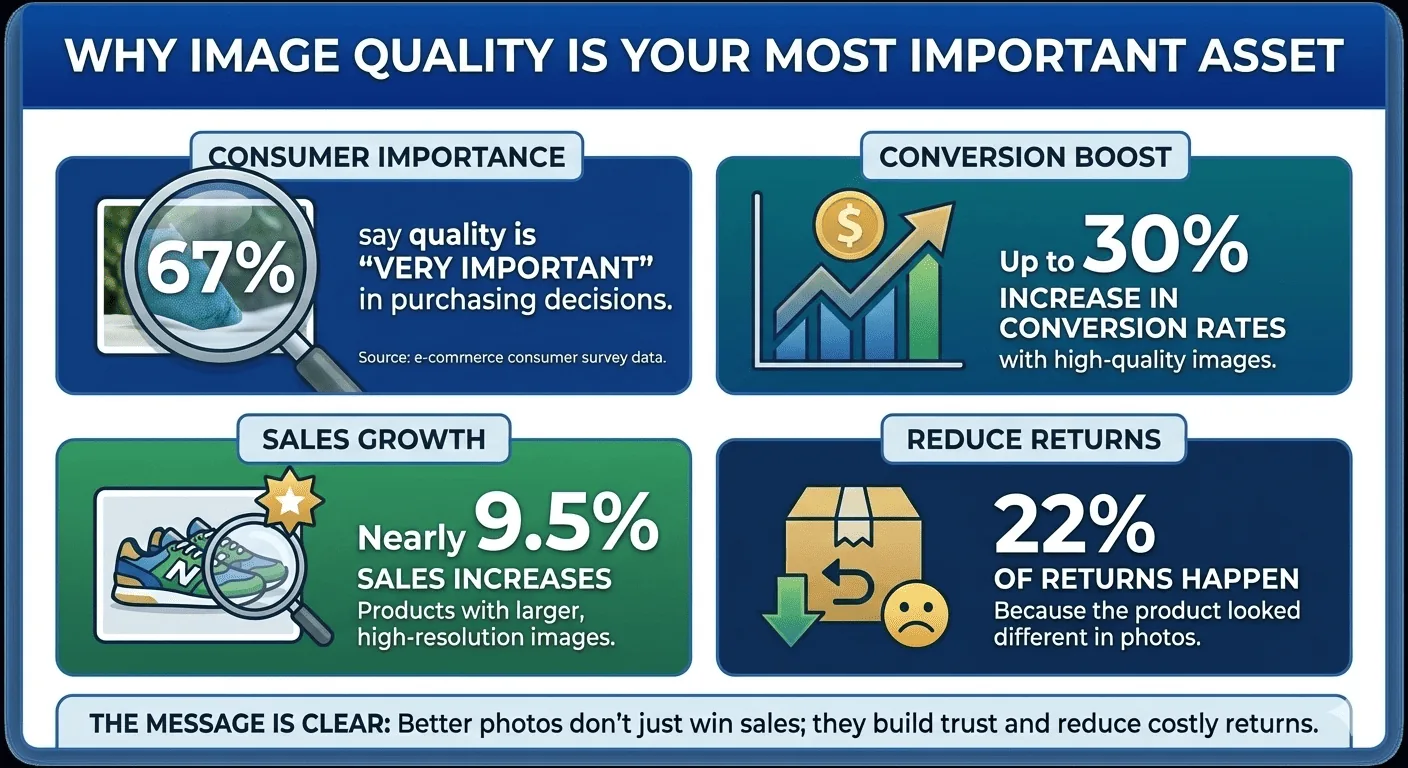
Product image quality is the primary conversion variable in e-commerce. Research shows 67% of customers consider image quality the most important factor in their buying decision. AI photo editing tools — specifically background removal, image cleanup, and upscaling — address the three technical problems that cause product images to underperform: cluttered backgrounds that reduce clarity, imperfections that reduce trust, and low resolution that reduces perceived quality. This guide covers the exact steps to apply these tools, how to build referral and affiliate programs around polished visuals, a worked example, pro tips, and the most common mistakes that cost conversions.
The Problem: Why Most Product Images Underperform
Online shoppers cannot touch, smell, or try a product. The image is the entire physical experience they get before committing to a purchase. When that image fails on any technical dimension — cluttered background, visible imperfections, low resolution, inconsistent style across listings — trust collapses and the conversion does not happen.
| Image Problem | Conversion Impact | AI Tool That Fixes It |
|---|---|---|
| Distracting or cluttered background | Reduces perceived product quality, draws attention away from the product | Remove Background |
| Visible imperfections, blemishes, background noise | Reduces trust, signals low quality control | AI Cleanup |
| Low resolution, pixelation, soft focus | Looks unprofessional, fails platform requirements, reduces detail confidence | AI Image Upscaler |
| Generic or off-brand background | Inconsistent brand identity, fails to support lifestyle positioning | AI Background Generator |
| Inconsistent style across catalog | Reduces brand credibility, makes multi-product listings look unprofessional | Standardized workflow using all tools above |
7 Steps to High-Converting Product Images with AI Tools
Remove the Background First
A clean white or transparent background is the baseline requirement for most e-commerce platforms. Amazon, Shopify, and Etsy all enforce white background policies on primary product images. Beyond platform compliance, a clean background removes visual noise that competes with the product for the customer's attention.
Use Remove Background as the first step in every product image workflow. Process the raw photo before any other editing — background removal on an already-edited image can introduce edge artifacts.
Clean Up Imperfections and Distractions
After background removal, inspect the product cutout for imperfections: sensor dust on the original photo, minor product blemishes that do not represent the actual product quality, stray hairs on clothing items, or uneven lighting hotspots. These details are invisible at thumbnail size but immediately visible when a customer zooms in — and zoom behavior on product pages correlates directly with purchase intent.
Run the cutout through AI Cleanup to remove these issues without manual retouching. The same tool works for customer-submitted photos: UGC that has been lightly cleaned performs significantly better on product pages and social ads than raw submissions.
Upscale to Print-Ready Resolution
Most smartphone cameras and mid-range DSLRs produce images that display adequately at small sizes but break down when customers zoom in or when images are required at print dimensions. Platform requirements are rising — Shopify recommends 2048×2048px minimum for zoom-enabled product images; Amazon requires 1600px minimum on the longest side for zoom functionality.
Run every image through the AI Image Upscaler before uploading to any platform. AI upscaling adds pixels by predicting detail from surrounding context — the result is sharper than the source at higher resolution, not just a stretched version of the original.
Add On-Brand Backgrounds for Lifestyle Context
White background images satisfy platform requirements and answer the "what does it look like" question. Lifestyle backgrounds answer the more persuasive question: "what does it look like in my life?" For social media ads, email campaigns, and secondary product image slots, replacing the white background with an on-brand lifestyle scene increases engagement and emotional connection.
Use the AI Background Generator to place the clean product cutout into contextually appropriate scenes without requiring a photo studio. Specify the scene in plain language — "marble kitchen counter, soft morning light" or "outdoor café table, summer afternoon" — and the tool generates a background that fits the product's use context.
Standardize Across Your Entire Catalog
Individual images can be high quality while a catalog looks inconsistent — different aspect ratios, different background tones, different lighting temperatures, different edge styles. Inconsistency signals that different products were photographed at different times under different conditions, which undermines the brand's perceived professionalism.
Process every product through the same sequence: Remove Background → AI Cleanup → Upscale → (optional) Background Generator. Establish a style guide specifying background color (pure white vs. off-white), image dimensions, and padding between the product edge and the frame — then apply it to every image in the catalog without exception.
Build an Affiliate Image Kit
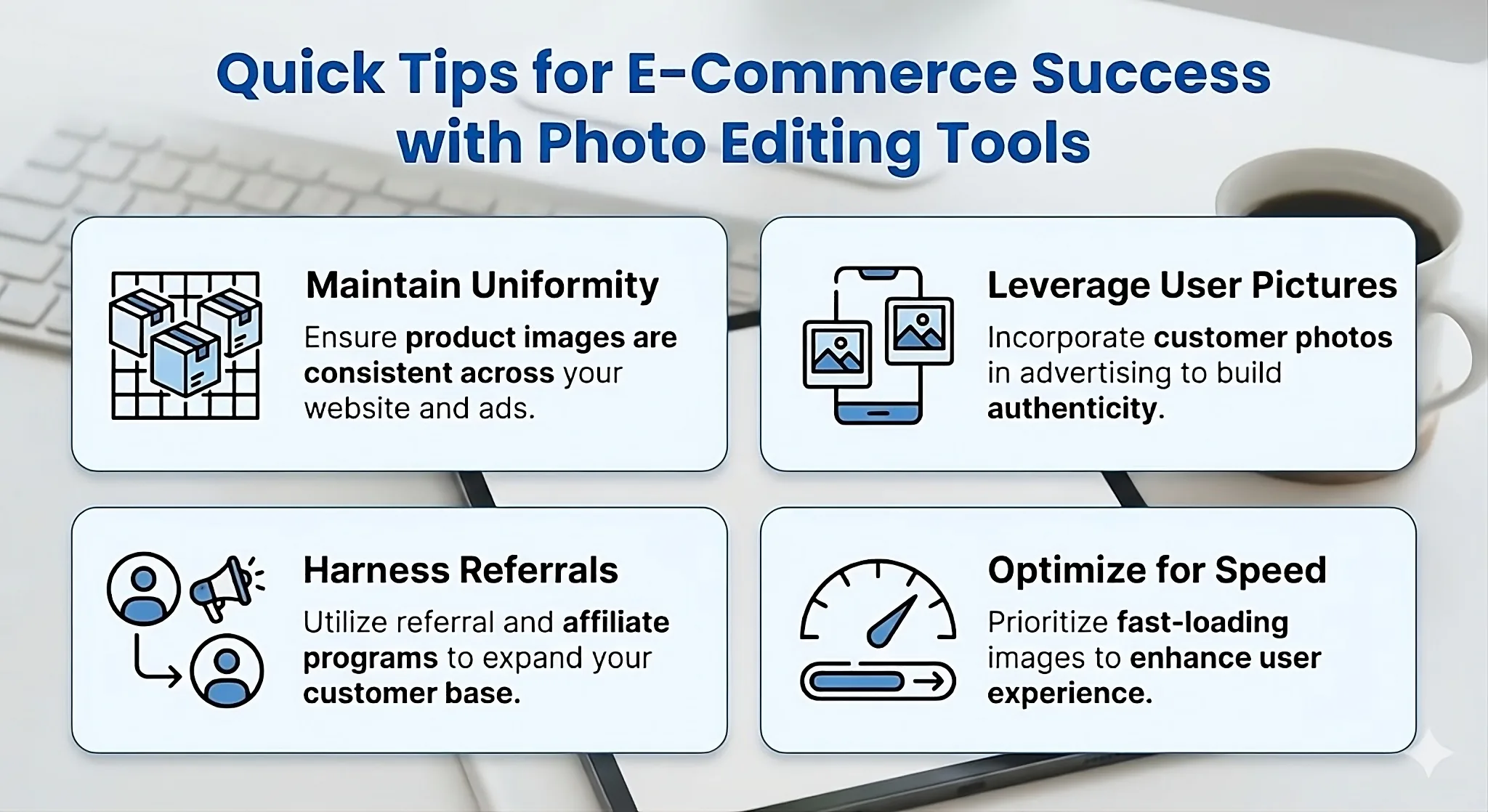
Affiliate marketing produces measurable results only when affiliates have quality assets to work with. A common reason affiliate programs underperform is that partners have to create their own visuals from poor-quality images — which means the brand appears differently across every affiliate's content.
Build a standardized affiliate image kit: clean product cutouts on transparent backgrounds, a set of lifestyle background versions, square and portrait crops for social platforms, and banner formats for display ads. Deliver the kit as a shared folder that updates automatically when new products are added. Affiliates with professional assets generate significantly higher click-through rates and conversion.
- Tailored affiliate kits: Include platform-specific image dimensions — 1:1 for Instagram, 9:16 for Stories, 16:9 for YouTube thumbnails and display ads
- Incentivize active affiliates: Refresh image packs seasonally and give top-performing affiliates early access to new product imagery before launch
Process and Feature User-Generated Content
Customer-submitted photos are the highest-trust content type in e-commerce — buyers interpret them as unbiased evidence of product quality. The problem is that raw UGC is inconsistent: mixed lighting conditions, cluttered backgrounds, varying image quality. Unprocessed UGC on a product page can undermine the carefully optimized primary images.
Apply AI Cleanup to customer photos before featuring them on product pages, homepage carousels, or social ads. Remove the distracting background, even out lighting artifacts, and sharpen key details. The result preserves the authenticity of the customer's photo while meeting the visual standard of the brand's own imagery.
- Reward programs: Offer referral bonuses, discount codes, or loyalty points to customers who submit usable product photos
- Social media amplification: Feature processed UGC on brand social accounts — tag the original customer to extend organic reach into their network
Practical Example: Full Workflow for a Single Product
Scenario: A handmade leather wallet being listed on Shopify and Etsy simultaneously
Source image: Smartphone photo on a wooden desk, natural window light, minor dust visible on the leather surface, image size 1200×900px.
Remove Background
Upload to Remove Background. Output: clean wallet cutout on transparent PNG. Processing time: under 5 seconds. Result: the wooden desk and its shadows are gone; the leather edges are clean including the stitching detail.
AI Cleanup
Run the transparent cutout through AI Cleanup. The tool removes the three visible dust specks on the leather surface and smooths a minor shadow inconsistency on the fold of the wallet. The leather grain texture is preserved.
Upscale to Platform Requirement
Run through AI Image Upscaler at 2x. Output: 2400×1800px — above Shopify's 2048px recommendation and above Etsy's 2000px minimum. The upscaled version shows sharper stitching detail than the source image.
Create Two Background Versions
Version A (Platform primary image): Place on pure white background — saved as JPEG for Shopify and Etsy primary image slot.
Version B (Social / affiliate use): Use AI Background Generator with prompt "dark oak desk surface, warm ambient lighting, minimal styling" — saved as PNG for Instagram and affiliate kit.
Build the Affiliate Kit
Export three sizes from Version B: 1:1 square (1080×1080px) for Instagram feed, 9:16 (1080×1920px) for Stories, 16:9 (1920×1080px) for YouTube pre-roll and display ads. Upload all three to a shared Google Drive folder shared with affiliate partners.
Total time for complete workflow: Under 10 minutes per product. Total cost: free using ModernPhotoTools. Output: two platform-optimized product images plus a three-format affiliate kit ready for distribution.
Pro Tips for E-Commerce Image Optimization
- Process background removal before any other edit: Running background removal after color correction, brightness adjustments, or other edits can produce edge artifacts at the boundary between product and background. Always remove the background from the raw source image first.
- Name files with platform and format in the filename: Use a consistent naming convention —
product-name_white_2048.jpgandproduct-name_lifestyle_1080x1080.png— so the correct file is used for the correct context without re-processing. - Build the affiliate kit before launch, not after: Affiliates promote products when they are newly listed. Having the image kit ready at launch maximizes the window of peak affiliate activity. Build the kit in the same session as the product image processing.
- Optimize for speed alongside quality: High-resolution images increase quality but also page load time. Export Shopify and Etsy JPEGs at 85% quality compression — this maintains visual fidelity while reducing file size by 30–50% compared to 100% quality export.
- Clean UGC before using it in ads: Raw customer photos used in paid ads perform below processed UGC. Apply AI Cleanup to every customer photo before it appears in any paid context — the processing takes seconds and measurably improves click-through rates on social ads.
- Maintain visual uniformity across all channels: A customer who sees your Instagram ad, clicks to your website, and finds images with a different style or quality level experiences a brand inconsistency that erodes confidence. The same image assets should appear everywhere — website, marketplaces, social, affiliate content.
- Refresh affiliate image kits seasonally: Seasonal context — holiday styling, summer lifestyle shots, back-to-school framing — keeps affiliate content relevant and active. Push new packs to affiliates at least quarterly, plus before any major sales period.
Connecting Visuals to Referral and Affiliate Growth
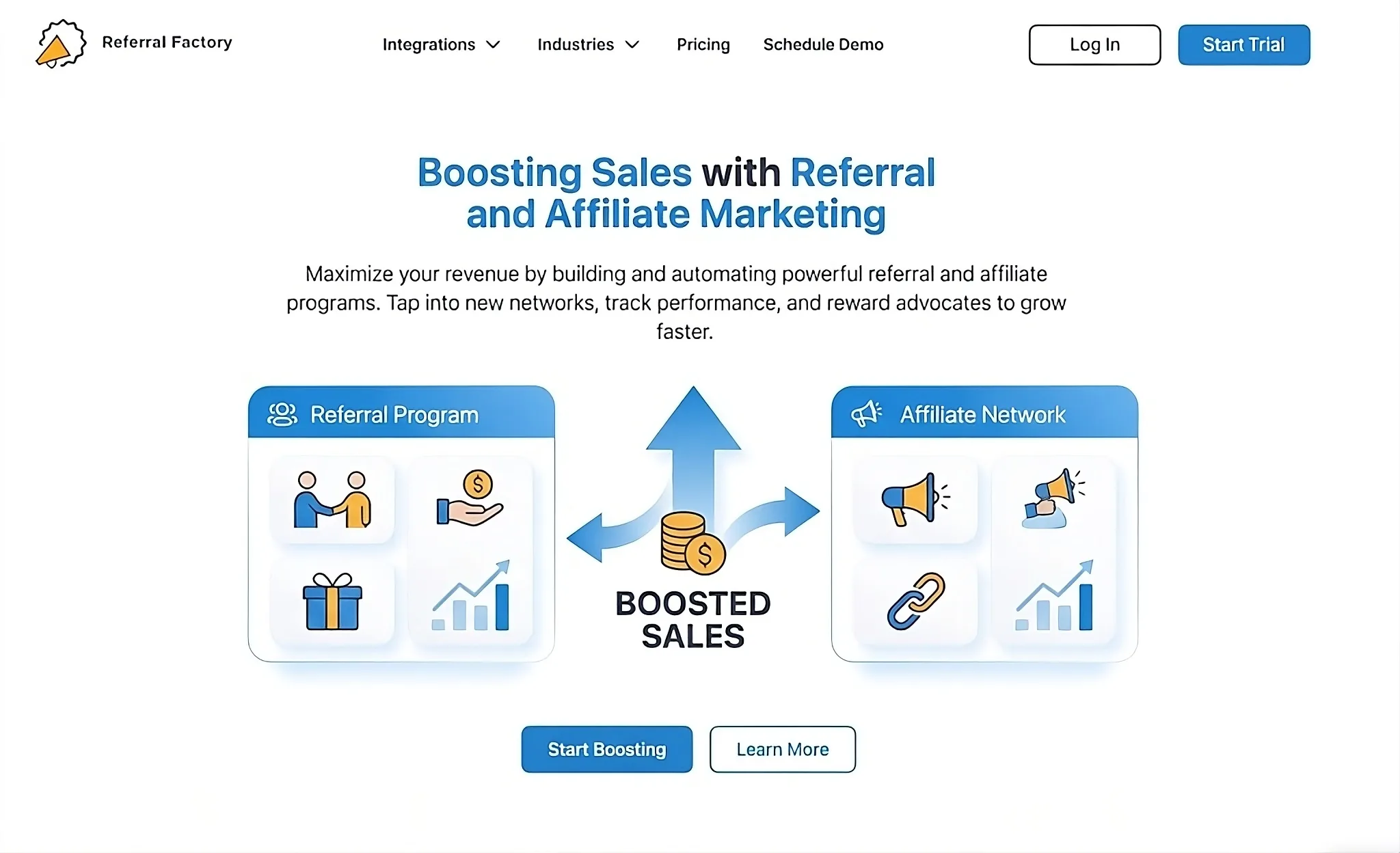
The relationship between image quality and referral performance is direct: customers share products they are proud to be associated with. A product image that looks polished and premium is more likely to appear in organic social posts, influencer content, and affiliate promotions than a low-quality image that reflects badly on the person sharing it.
Photo editing tools strengthen referral campaigns at two points in the funnel. First, they produce shareable images that customers want to post — which drives organic word-of-mouth without any program incentive. Second, they provide affiliates with professional assets that make their promotional content look authoritative, which increases the trust their audience places in the recommendation.
Influencer partnerships specifically benefit from clean product cutouts and lifestyle background variants. When an influencer receives a product with a pre-built image kit containing multiple formats and scene options, they can create content faster and the resulting posts maintain visual consistency with the brand's own channels — strengthening rather than fragmenting brand identity across touchpoints.
Common Mistakes to Avoid
- Uploading unoptimized images directly from the camera: Raw camera output is rarely at the resolution, aspect ratio, or background quality that conversion-optimized product pages require. Every image should pass through the full processing sequence before upload — even images that "look fine" at first glance.
- Using different background styles across the catalog: One product on pure white, the next on off-white, the next on a gray studio background — the inconsistency is visible to every customer who browses multiple products. Establish a single background standard and apply it to the entire catalog.
- Skipping upscaling because the current image "looks fine" on a phone screen: Platform zoom functionality, large desktop displays, and tablet screens expose resolution problems that are invisible on a phone. Run upscaling regardless of how the image looks on your own device.
- Sending affiliates only the primary product image: A single white-background JPEG is not a usable affiliate kit. Affiliates need multiple formats, lifestyle versions, and appropriate aspect ratios for different platforms. Providing only the primary image results in inconsistent, low-quality affiliate content.
- Using raw UGC in paid ads without processing: Customer-submitted photos contain distracting backgrounds, inconsistent lighting, and variable image quality. Unprocessed UGC in paid ads consistently underperforms processed UGC. Apply AI Cleanup before any paid deployment.
- Treating image optimization as a one-time task: Product images need to be revisited when platform requirements change, when seasonal campaigns require new context, and when new photography is taken. Build image processing into the standard product launch and campaign workflow, not as a one-off project.
Frequently Asked Questions
Which ModernPhotoTools features are best for e-commerce product photos?
The core workflow is three tools in sequence: Remove Background for clean product cutouts, AI Cleanup for removing imperfections and surface distractions, and AI Image Upscaler for reaching platform resolution requirements. For social and affiliate use, add the AI Background Generator to create lifestyle context versions from the same clean cutout.
Can I edit product photos without Photoshop or design skills?
Yes. ModernPhotoTools runs entirely in the browser with no software installation or design experience required. Each tool accepts an image upload and produces a processed output in seconds — background removal, cleanup, and upscaling are all one-click operations with optional fine-tuning controls if needed.
Is ModernPhotoTools suitable for small online shops and marketplaces?
Yes — it is specifically well-suited for small and mid-size stores that need professional-quality product images without the cost of a professional photography studio or retouching service. The tools meet the image requirements of Shopify, Etsy, Amazon, WooCommerce, and most other e-commerce platforms.
How do better product photos improve referral and affiliate program performance?
High-quality visuals increase click-through rates on affiliate links and referral content through two mechanisms. First, polished images signal that the product is worth recommending — affiliates and referrers are more likely to share a product that reflects well on them. Second, professional images reduce friction in the affiliate's content creation process — when the image kit is ready to use, affiliates post faster and more frequently, generating more impressions at no additional cost to the brand.
Do I need to download anything to use ModernPhotoTools?
No. All tools run in the browser. Upload an image, process it, and download the result — on any device with an internet connection, including phones and tablets. No account is required for core tools, and images are not stored on the server after processing.
The Future of E-Commerce Visuals
The workflow in this guide — background removal, cleanup, upscaling, lifestyle background generation — represents the current standard for AI-assisted product image production. The practical barrier for most stores is no longer cost or technical skill; both have been eliminated by browser-based AI tools. The remaining variable is consistency: whether a store applies the same standard to every product in the catalog or only to the hero products.
In the near term, two shifts will change how this workflow operates. First, AI background generation is moving toward real-time scene simulation — rather than selecting from preset backgrounds, sellers will describe a product context in plain language and receive a photorealistic scene with accurate lighting physics. This eliminates the remaining gap between AI-generated lifestyle images and actual studio photography.
Second, video product content is becoming a conversion factor on the same level as static images. Short product demonstration videos are now the fastest-growing content type on Shopify storefronts and Amazon listings. AI tools that apply the same background removal and cleanup logic to video frames — maintaining temporal consistency without flickering — are approaching consumer availability. Stores that build the still-image workflow now will be positioned to extend it to video with the same tool set when that capability becomes standard.
Start the Product Image Workflow Now
Browser-based AI tools — no software, no design skills required.
Explore All ModernPhotoTools