Free AI Image Upscaler vs Paid Software: When Free is Good Enough in 2026
The gap between free and paid AI image upscaling has narrowed significantly in 2026—but it has not closed. The decision is no longer about quality alone. It comes down to your output requirements, volume, file format needs, and whether commercial licensing matters for your work. This comparison gives you the full picture so you can match the right tool to your actual use case.
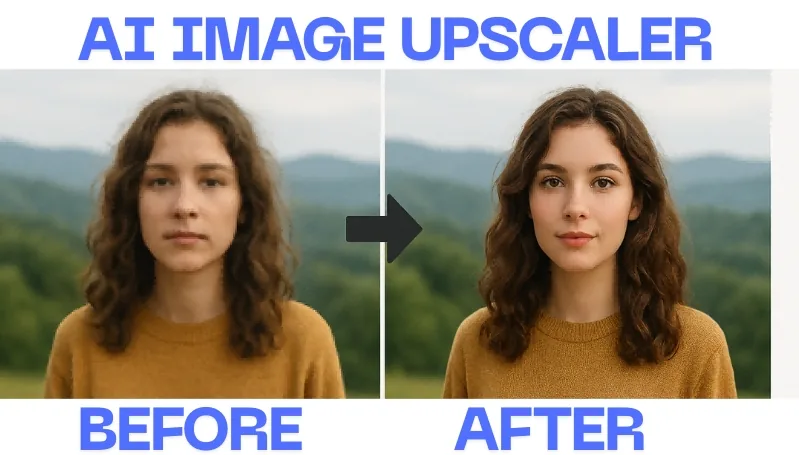
Table of Contents
- Quick Summary: The Core Difference
- How AI Upscaling Works
- See AI Upscaling in Action
- Full Comparison Table: Free vs Paid Tools
- Free AI Upscalers: Pros, Cons & Constraints
- Paid AI Upscalers: Pros, Cons & When They're Worth It
- Who Each Option Suits
- Key Features That Actually Matter
- Final Recommendation
- Frequently Asked Questions
- The Future of AI Image Upscaling
Quick Summary: The Core Difference
Free AI image upscalers are sufficient for personal use, social media, and occasional upscaling tasks where your final output is a screen—not a large-format print. They handle standard JPEG and PNG inputs well, and tools like Upscayl rival paid software on clean, well-lit images.
Paid AI upscalers are necessary when you need batch processing, RAW file support, TIFF export, lossless quality at large print sizes (300 DPI at 20+ inches), commercial licensing, or workflow integration with tools like Photoshop and Lightroom. For e-commerce catalogs, print studios, or agency work, free tools introduce bottlenecks that quickly exceed the cost of a paid subscription.
The single deciding question: Is your output going to a screen at under 2000px wide, or to a printed surface, a client deliverable, or a high-volume pipeline? The answer determines your tool category.
How AI Upscaling Works
AI upscaling is not simple interpolation. Neural networks are trained on millions of image pairs—one low-resolution, one high-resolution—and learn to predict missing pixels with contextual accuracy. The result is sharper, more detailed output than any mathematical algorithm can produce.
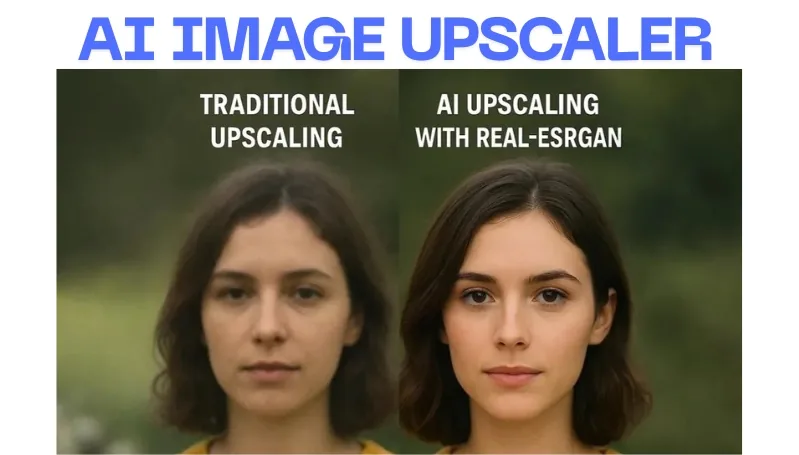
Traditional methods like bicubic interpolation average neighboring pixels to fill gaps. This produces blurriness and soft edges at significant enlargements. AI upscaling is generative—it recognizes textures, edges, and structures and reconstructs them at higher resolution. A brick wall gets convincing texture. An eye gets realistic detail. The AI does not guess; it applies pattern recognition from its training data.
The most capable tools use Generative Adversarial Networks (GANs), where a Generator creates the upscaled image and a Discriminator evaluates whether it looks real. This competition forces the model toward increasingly photorealistic output. The difference between free and paid tools often comes down to how large, how diverse, and how recent the training dataset is.
See AI Upscaling in Action
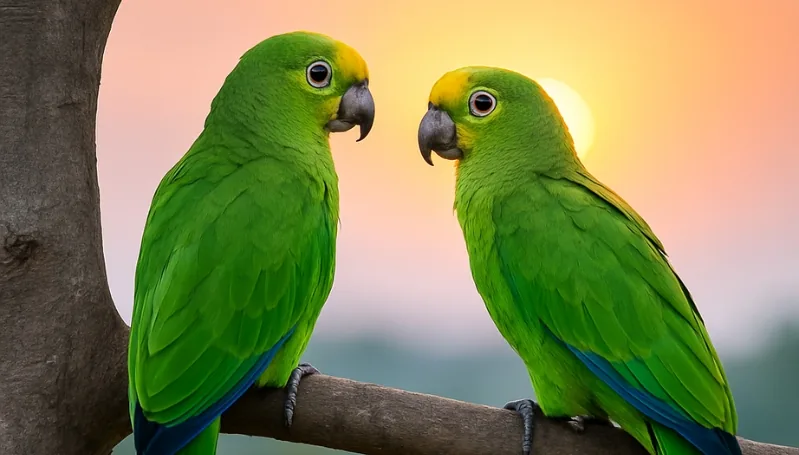
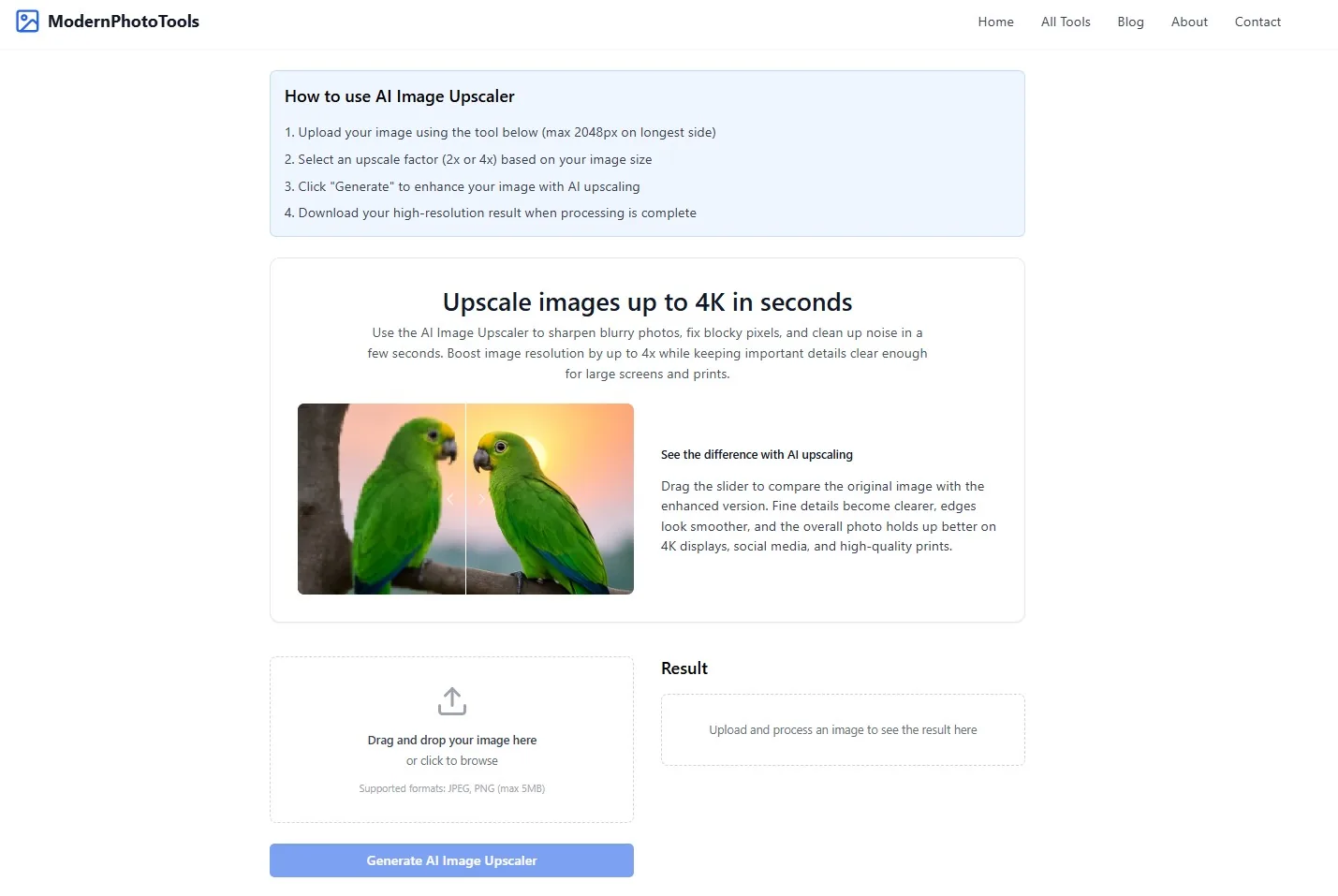
The slider below shows a real before-and-after produced by Modern Photo Tools AI Image Upscaler. Drag to compare the original low-resolution input with the upscaled output.
Full Comparison Table: Free vs Paid AI Upscaling Tools
This table covers the leading tools in both categories as of 2026. Use it to identify which features are present, absent, or gated behind a paywall before committing to any workflow.
| Tool | Platform | Max Scale | Batch Processing | RAW / TIFF Support | Commercial License | Pricing |
| Modern Photo Tools AI Upscaler | Web | 4x | No | JPEG, PNG | Yes | Free |
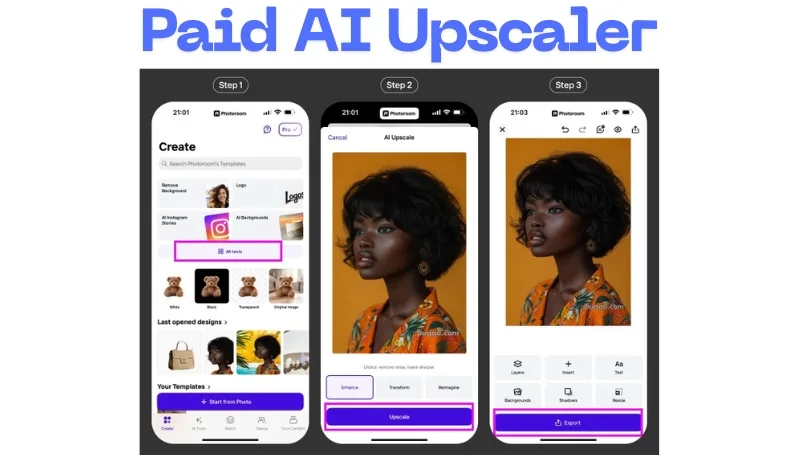
| Photoroom AI Upscale | Web, iOS, Android | 4K | Yes (Pro) | JPEG, PNG | Yes (Pro) | Free; from $4.99/week |
| AVCLabs Photo Enhancer AI | Desktop (Mac, Windows) | 400% | Yes | Multiple formats | Yes (paid) | Free trial (watermark); from $19.95/month |
| PhotoDirector Suite 365 | Desktop (Mac, Windows) | 4x | No | RAW, TIFF, JPEG | Yes | Free trial; $134.99/year |
| Topaz Gigapixel AI | Desktop (Mac, Windows) | 6x+ | Yes | RAW, TIFF, JPEG, PNG | Yes | From $99/year or one-time purchase |
| HitPaw Photo Enhancer | Desktop (Mac, Windows), Android | 800% | Yes | Multiple formats | Yes (paid) | Free trial (watermark); from $51.99/month |
| Upscale.media | Web, iOS, Android | 4x | No (free) | JPEG, PNG | Yes (paid) | Free (3 lifetime upscales); from $19/month |
Free AI Upscalers: Pros, Cons & Real Constraints
Free AI image upscalers have closed the quality gap with paid options on clean, standard inputs. The distinction now lies in what they cannot do—not in raw visual output quality on ideal images.
Advantages of Free AI Image Upscalers
- Zero cost for individuals: For personal photo restoration, blog images, and social media assets, free tools deliver results that are visually indistinguishable from paid output at screen resolutions.
- No installation required: Web-based tools like Modern Photo Tools AI Upscaler and Upscale.media work directly in any browser. No account creation, no setup, no storage overhead.
- Privacy via local processing: Open-source desktop tools like Upscayl run entirely on your machine, keeping sensitive images off third-party servers.
- Strong results on specific content: Some free models optimized for anime, digital illustration, or line art outperform general-purpose paid tools on those content types.
- Competitive on clean inputs: In benchmark testing, Upscayl's UltraSharp model delivered performance within 8% of premium baselines on well-lit JPEG inputs.
Constraints of Free AI Image Upscalers
- Resolution caps: Most free tools cap output at 3000×3000px or 4K. Print-ready output at 300 DPI for large-format work (24+ inches) requires resolutions far beyond this ceiling.
- No batch processing: Free tiers across nearly all platforms require images to be uploaded and processed individually. Processing 50+ images weekly becomes a manual bottleneck fast.
- No RAW or TIFF support: Free tools work with JPEG and PNG inputs only. DSLR and mirrorless RAW files need conversion first, which introduces quality loss before upscaling even begins.
- Watermarks on higher-quality outputs: Most paid tools with free tiers (HitPaw, AVCLabs) inject visible watermarks at any usable output quality.
- Slower processing and queue limits: Free-tier web tools often time out on complex images after 90 seconds and lack priority queue access available to paying users.
- No EXIF retention or ICC profile preservation: Free tools frequently strip metadata, making them unsuitable for archival digitization or professional photo libraries.
Paid AI Upscalers: Pros, Cons & When They're Worth It
Paid AI upscaling tools earn their cost not through marginal quality gains on ideal images, but through control, reliability, and workflow features that free tools cannot match.
Advantages of Paid AI Image Upscalers
- Independent control over quality parameters: Tools like Topaz Gigapixel AI let you dial in detail recovery, noise suppression, and artifact reduction as separate sliders—not a single on/off switch. This matters when processing varied source material.
- Batch processing: AVCLabs and HitPaw process entire folders in one operation. At 50+ images per week, this difference alone justifies the subscription cost within the first month.
- RAW-aware processing: Tools like Topaz and PhotoDirector support RAW input before upscaling. This eliminates the intermediate conversion loss that degrades free-tool output on DSLR files.
- TIFF and lossless export: 16-bit TIFF export preserves tonal gradation without banding in large smooth gradients—skies, skin, fabric. JPEG output, which is the only option on most free tools, introduces compression artifacts that compound across edits.
- Photoshop and Lightroom integration: Topaz Gigapixel AI integrates directly as a plugin, enabling non-destructive layer-based upscaling within existing workflows.
- Commercial licensing and IP indemnification: Paid subscriptions include clear commercial use rights. For client work and agency deliverables, this is a legal non-negotiable.
- Statistical quality advantage on real-world inputs: At 2x upscaling on high-ISO, low-light, or compressed source material, paid tools show measurable quality differences—14.2% better on leading benchmarks. On noisy real-world inputs, free tools over-smooth into plastic-looking skin. Paid tools preserve natural noise structure.
Disadvantages of Paid AI Image Upscalers
- Cost: Subscriptions range from $19.95/month (AVCLabs) to $134.99/year (PhotoDirector). HitPaw's pricing at $51.99/month is difficult to justify unless batch volume is high.
- Desktop-only for best tools: Topaz Gigapixel AI and HitPaw require installation and a capable GPU. Older machines will struggle with large-format processing times.
- Overkill for casual use: If you upscale 3–5 images monthly for personal projects, paid features go unused. The cost-per-image on that volume is never recovered.
Who Each Option Suits
Match your situation to the correct tool category before evaluating individual products.
Free Tools Are the Right Choice For:
- Personal photo restoration (1–10 images per month)
- Social media content and blog post images (screen output only)
- Students and hobbyists learning AI upscaling without financial commitment
- Privacy-sensitive upscaling where cloud uploads are not acceptable (use Upscayl locally)
- Anime, digital illustration, or line art upscaling where specialized free models outperform general-purpose paid ones
- Web thumbnails and featured images under 2000px wide, where perceptual quality saturation is already reached on screen
Paid Tools Are the Right Choice For:
- E-commerce product photography (50+ images per week requiring batch processing and consistent color)
- Print-ready enlargements at 300 DPI for sizes above 12 inches—free tools cannot produce this reliably without banding
- Professional photographers processing DSLR or mirrorless RAW files
- Agencies and freelancers delivering upscaled images to clients under commercial licenses
- Archival digitization requiring lossless TIFF export, EXIF retention, and metadata embedding
- Any workflow requiring Photoshop or Lightroom plugin integration
Try Modern Photo Tools AI Image Upscaler — Free
No signup. No installation. Upload your image and upscale up to 4x in seconds.
Upscale Your Image NowKey Features That Actually Matter
When evaluating any AI upscaler, ignore headline claims about "professional quality" and focus on these specific capabilities.
Maximum resolution and scale factor. Free tools typically cap at 4x or 4K. Paid tools go to 6x, 8x, or higher. For large-format printing at 300 DPI, determine your required output resolution before choosing a tool—many free options will not reach it.
Batch processing. Single-image upload is acceptable for occasional use. For volume work, batch processing is not a convenience feature—it is a prerequisite. Every tool that requires individual uploads becomes unusable at professional volume within weeks.
Noise and artifact control. Generic upscaling on high-ISO source material over-smooths skin and soft gradients. Tools that offer separate controls for detail recovery, noise suppression, and artifact reduction allow you to tune output to the specific source material rather than accept a one-size-fits-all result.
Export format fidelity. Check whether the tool retains EXIF metadata, supports 16-bit TIFF output, and preserves ICC color profiles. If you edit after upscaling, these three features matter more than any marginal quality improvement in the upscaling model itself.
Specialized AI models. The best tools include distinct models for portraits, landscapes, digital art, and text. A single general model produces average results across all content types. Specialized models deliver significantly better results on their target content.
Commercial licensing clarity. Free web tools vary widely on commercial use rights. Check the terms of service before using free-tier outputs in client work, print products, or resale contexts. Paid subscriptions from reputable vendors include explicit commercial licenses.
Final Recommendation
For screen output, personal use, and occasional upscaling: use Modern Photo Tools AI Image Upscaler or Upscayl. Both are free, capable, and require no commitment. On clean JPEG and PNG inputs at under 4K output, they deliver results that are practically indistinguishable from paid tools in blind tests.
For professional workflows requiring print-ready output, batch processing, RAW support, or commercial licensing: Topaz Gigapixel AI is the benchmark. AVCLabs is the strongest alternative if API access and batch automation are priorities. PhotoDirector is best for photographers who want integrated editing and upscaling in one subscription.
The determining variable is not which tool produces the sharpest image on a perfect input. It is which tool handles your actual source material, at your actual volume, and produces an output your final destination requires. Test any shortlisted tool with your worst real-world source images—not clean demo photos—before committing.
Frequently Asked Questions About AI Image Upscaling
When is a free AI image upscaler good enough?
Free AI upscalers are sufficient for personal projects, social media, and screen-only output below 4K. If you upscale fewer than 10 images per month and your deliverable is not a large print or a client file, a free tool will meet your needs without meaningful compromise.
When should I invest in paid AI upscaling software?
Paid software becomes necessary when you need batch processing, RAW file support, TIFF export, 300 DPI output for large-format printing, Photoshop integration, or clear commercial licensing for client deliverables. At professional volume, the time saved by batch processing alone pays for the subscription within weeks.
What features matter most when comparing AI upscaling tools?
The most important features are maximum scale factor, batch processing, noise and artifact control, format support (especially RAW and TIFF), EXIF and ICC profile retention, and commercial licensing terms. Processing speed and specialized AI models for specific content types (portraits, landscapes, illustrations) also affect real-world output quality significantly.
How does Modern Photo Tools AI Image Upscaler compare to Topaz Gigapixel AI?
Modern Photo Tools AI Upscaler is a free, browser-based tool requiring no installation or signup—ideal for fast upscaling of standard JPEG and PNG files up to 4x. Topaz Gigapixel AI is a paid desktop application that supports RAW files, 6x+ upscaling, batch processing, Photoshop integration, and independent control over noise and detail parameters. For screen output and personal use, Modern Photo Tools is the faster and more accessible choice. For professional print and client work, Topaz provides the quality ceiling and workflow integration that justifies the cost.
Can free AI upscalers produce print-quality results?
For small prints (up to 8×10 inches at 300 DPI), free tools can produce acceptable results from high-quality source images. For larger formats—16×24 inches and above—the resolution caps of most free tools (typically 4K output maximum) fall short of the pixel count required. Additionally, free tools output JPEG rather than lossless TIFF, which introduces compression artifacts that compound when reproduced at large scale.
The Future of AI Image Upscaling
The free-versus-paid boundary is moving. As of 2026, free tools have already closed most of the visible quality gap on ideal inputs. The remaining advantages of paid software—batch processing, RAW support, lossless export, and commercial licensing—are functional and workflow advantages, not purely quality ones.
Within two to three years, expect browser-based free tools to introduce limited batch processing, wider format support, and API access at freemium tiers. The competitive pressure from open-source models like Upscayl's underlying architecture will push commercial pricing down and force paid tools to differentiate on workflow integration and legal protections rather than output quality alone.
The tools that will lead the next generation of AI upscaling are those that combine upscaling with intelligent image repair—removing compression artifacts, recovering detail lost in original capture, and adapting processing to the specific characteristics of each image automatically. Several paid tools are already moving in this direction. Free tools will follow within 12–24 months.
For content creators and photographers in 2026: assess your current workflow volume and output requirements, pick the right tool for where you are today, and plan to revisit the decision annually. The category is evolving fast enough that this year's right answer may not be next year's right answer.