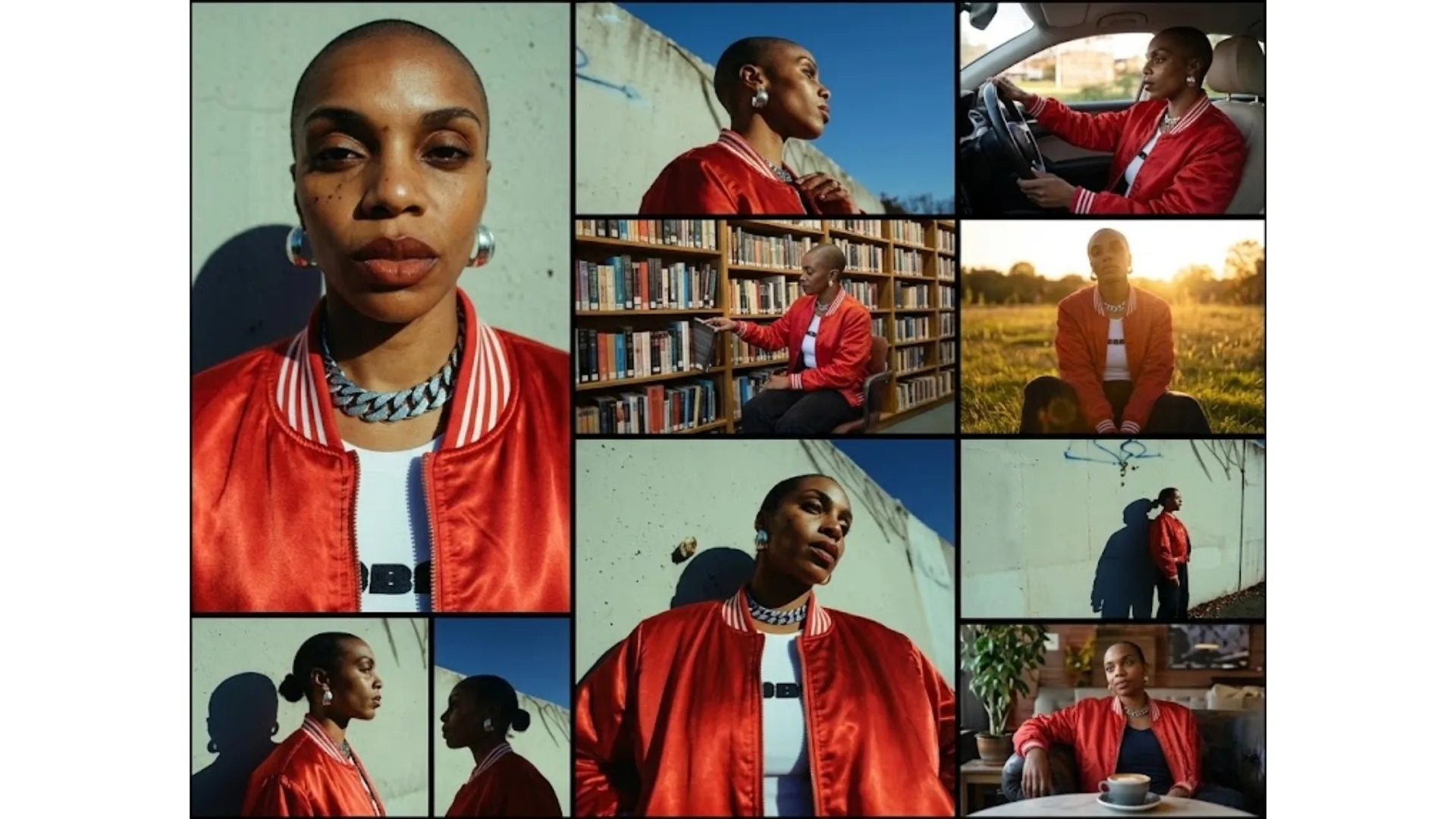
Maintain Character Consistency in AI Image Generation
For AI artists, prompt engineers, and commercial creators, identity drift is the biggest production bottleneck. This guide shows how to lock character identity across scenes using a Master Anchor sheet, structured prompts, reference parameters, and localized replacement workflows.
Table of Contents
What Character Consistency Means
Character consistency is the ability to keep the same subject recognizable across multiple generations, camera angles, outfits, and environments. Without guardrails, most models re-sample from latent space each run, which causes subtle feature mutation over time.
If you are just getting started with prompt control, read our AI photo editing prompts guide. For direct generation and scene iteration, you can use our AI Image Generator and AI Replace tools.
Step 1: Establish the "Master Anchor" Character Sheet
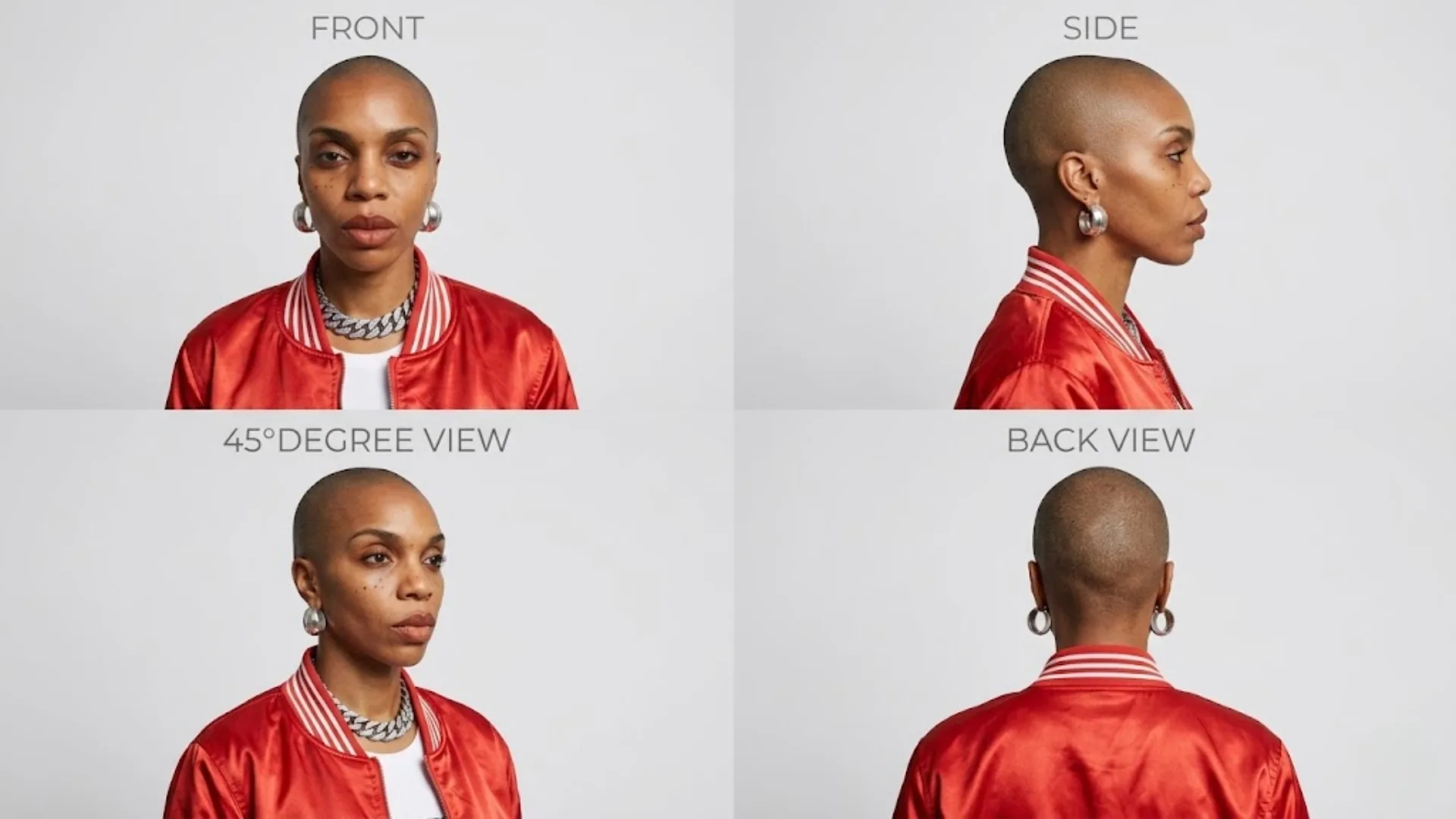
Before generating story scenes, create a single high-fidelity reference image set that acts as your source of truth. This Master Anchor should include:
- Camera angles: Front, side, 45-degree, and back view.
- Pose and expression: Neutral standing pose (or T-pose), neutral expression.
- Environment: Plain white or neutral grey background with soft, consistent studio lighting.
Critical rule: never chain scene outputs from previous scene outputs. Always reference the original Master Anchor to prevent cumulative drift.
Step 2: Lock Identity with Structured JSON Prompts (Nano Banana Pro)
In logic-forward generators, structured prompts perform better than prose. A JSON structure lets you isolate identity fields from context fields, so you can update the environment while keeping character features fixed.
{
  "meta": {
    "thinking_level": "high_reasoning",
    "style_preservation": true
  },
  "character_profile": {
    "id": "MASTER_ANCHOR_01",
    "image_reference_weight": 0.85,
    "physical_attributes": {
      "demographics": "28yo female, scandinavian",
      "face_topology": "high cheekbones, angular jaw, heterochromia blue-green eyes",
      "skin_material": "visible_pores_0.1mm, subtle_freckles, natural_oil_sheen",
      "hair": "platinum blonde undercut pixie, coarse matte finish"
    },
    "attire_constraints": "tactical cyberpunk jacket, neon blue piping"
  },
  "environment_context": {
    "setting": "rain-slicked neon alleyway",
    "lighting": "cinematic, harsh directional spotlights, cold shadowy blue backlights"
  }
}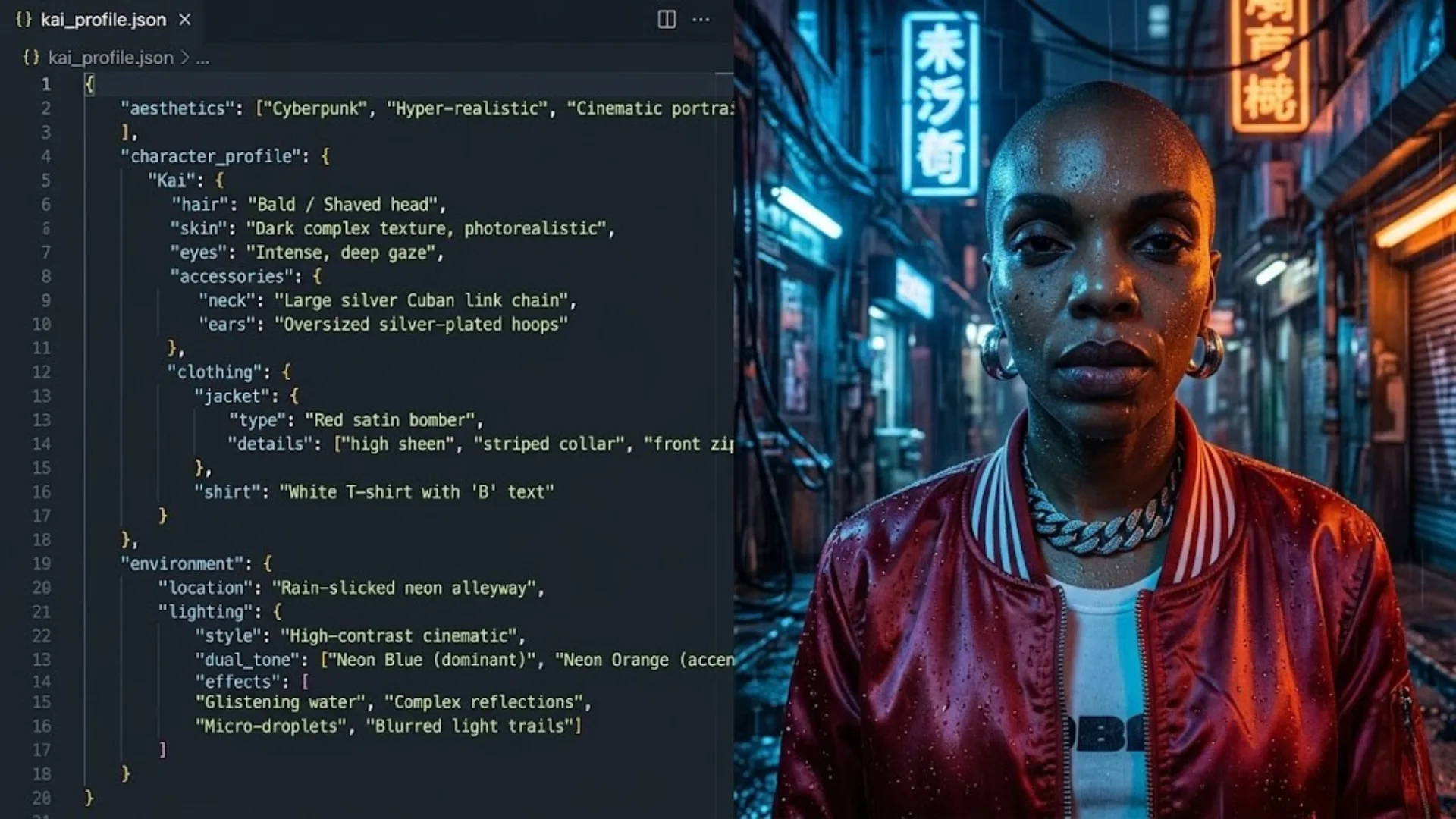
For the next scene, keep character_profile unchanged and only modify environment_context. This separation dramatically reduces identity drift and attribute bleed.
Step 3: Mastering Midjourney Parameters (--cref and --oref)
When using Midjourney, reference controls determine how strongly your source identity carries forward into each output.
For Midjourney V6 (--cref)
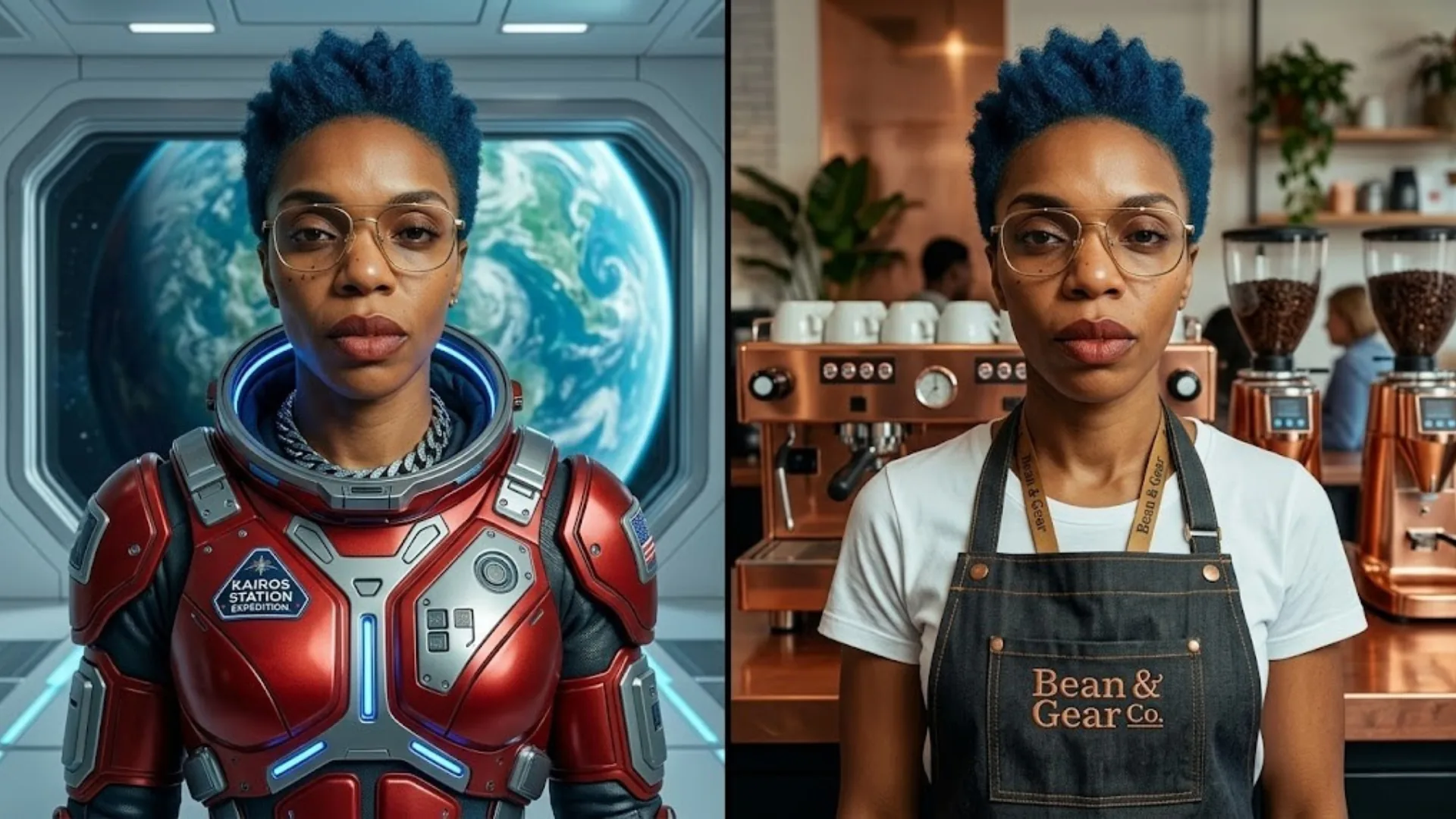
Use --cref [URL] for human features. Control transfer precision with --cw (0 to 100):
- --cw 100: strong transfer of face, hair, and outfit details.
- --cw 0: keeps face topology while allowing wardrobe and hairstyle variation.
For Midjourney V7 (--oref)
Use --oref [URL] for broader reference locking, including non-human subjects. Adjust with --ow. This mode is stronger but can cost more compute and has workflow compatibility limits depending on feature set.
Reference docs:
Step 4: Localized Edits with AI Replacement Workflows
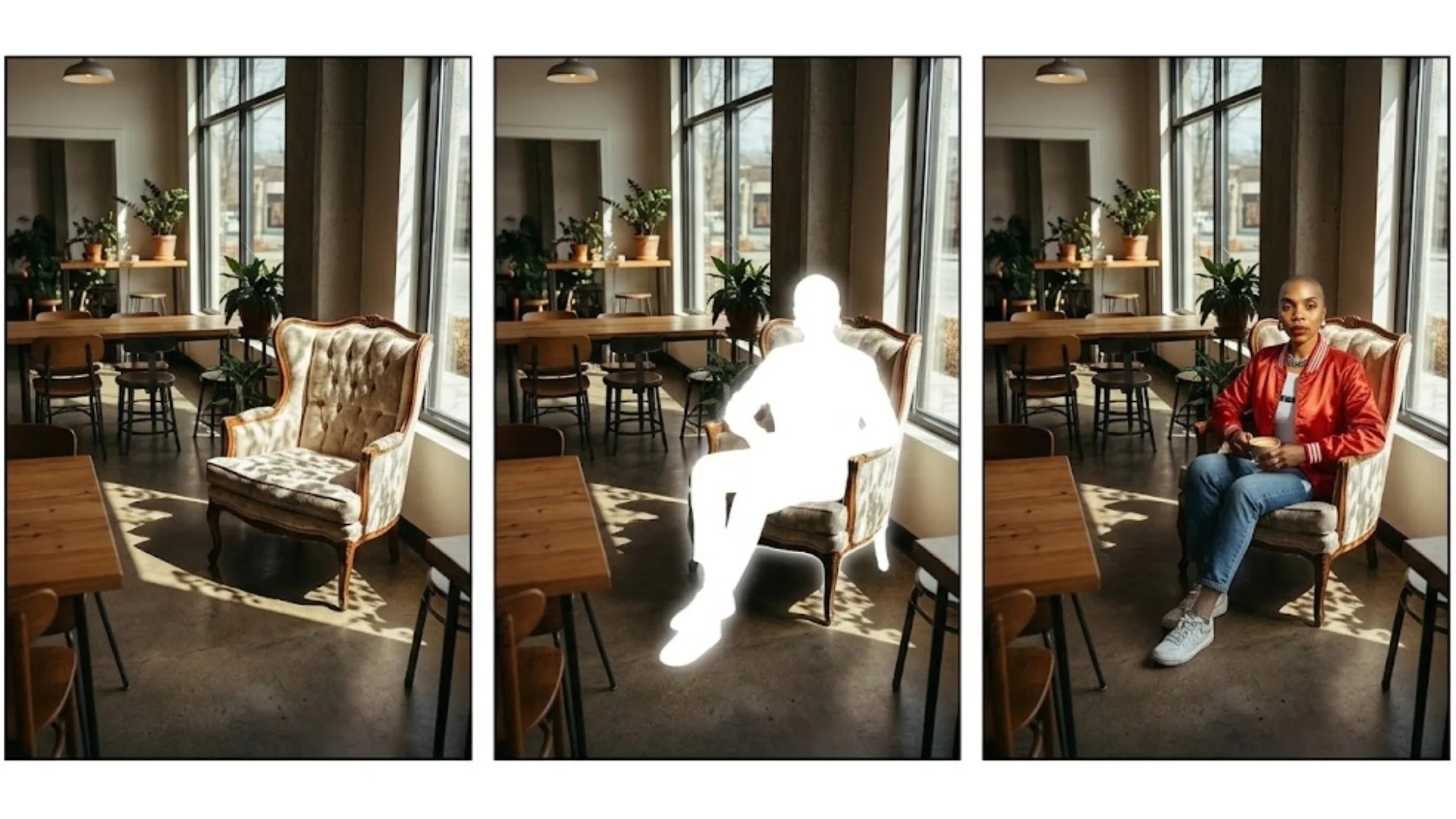
In production, generating a perfect scene and perfect character in one pass is unreliable. A faster approach is:
- Generate base scene: Create the environment first with a placeholder subject.
- Apply semantic replacement: Use a text instruction such as "Replace the man at the desk with the subject from the character reference image."
- Preserve composition: Add "Keep everything else exactly the same, including style, lighting, and composition."
- Calibrate strength: Set replacement/inpainting strength around 0.75 for a natural integration.
Use the workflow directly in AI Replace, then finalize output quality with the AI Image Upscaler if needed.
Frequently Asked Questions
What is character consistency in AI image generation?
Character consistency is the ability to keep the same visual identity across multiple generations, including facial topology, skin tone, anatomy, and key style markers. Without explicit controls, most models produce drift between runs.
How do I keep AI characters consistent across scenes?
Use a Master Anchor character sheet, lock identity with structured prompts or reference parameters, and avoid generation chaining. Always return to your original anchor reference for each new scene.
Which tools are best for identity lock workflows?
For practical creator workflows, combine a reliable generator with reference controls and an inpainting/replacement stage. You can run this sequence using AI Image Generator plus AI Replace for localized edits.
How do I keep consistency in dynamic poses?
Use pose-conditioning pipelines (for example, ControlNet-style skeletal guidance) and map your locked character identity onto the target structure. This prevents pose-related anatomical drift.
What causes identity drift most often?
The most common causes are prompt-only workflows with no reference image, chaining one generated output into the next, and changing too many identity tokens at once between scenes.