Best Ramadan AI Photo Editing Prompts (40+ Copy-Paste Examples)
Ramadan AI photo editing prompts are precise text instructions that tell image-generation tools — Midjourney, DALL-E, Stable Diffusion — exactly what visual atmosphere, lighting, subject, and style to produce. The difference between generic output and a usable Ramadan visual is specificity: crescent placement, lantern warmth, shadow quality, and background depth all need to be explicit. This guide covers the framework for writing those prompts, 40+ copy-paste examples by category, the structural mistakes that cause weak results, and pro tips for iterating toward professional-quality Ramadan content.
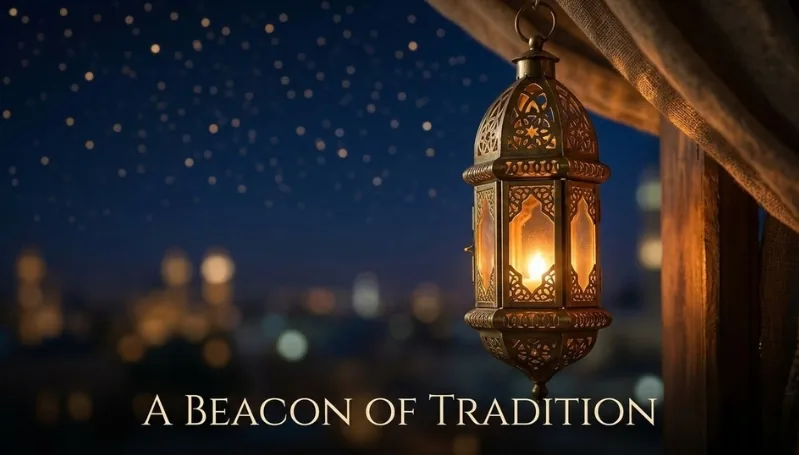
Table of Contents
- Quick Summary
- Why Generic Ramadan Prompts Fail
- Anatomy of a Strong Ramadan Prompt
- Lantern & Atmosphere Prompts
- Iftar & Suhoor Scene Prompts
- Portrait & People Prompts
- Product Photography Prompts
- Social Content & Greeting Card Prompts
- Which AI Tools to Use for Each Category
- Pro Tips for Better Results
- Common Mistakes to Avoid
- Frequently Asked Questions
- The Future of AI Ramadan Visuals
Quick Summary
A Ramadan AI photo editing prompt is a structured text description that eliminates creative guesswork and gives any image-generation tool a precise visual brief. Ramadan visuals have a distinct set of entities: crescent moon, Fanous lanterns, geometric Islamic patterns, soft golden light, iftar table settings, dates and water, mosques at dusk, and deep blue-to-amber color gradients. Prompts that ignore these entities produce generic Middle Eastern or "night scene" output that carries no seasonal identity.
This guide gives you the framework to write Ramadan-specific prompts, 40+ ready-to-use examples across five content categories, a pairing guide for Midjourney, DALL-E, and Stable Diffusion, and the most common structural errors that destroy output quality before the tool even begins generating.
Core Ramadan Entities
- Fanous (Ramadan lantern)
- Crescent moon & stars
- Islamic geometric patterns
- Mosque silhouette / minaret
- Iftar table / dates / water
- Deep blue night-to-amber gradient
- Taraweeh prayer scenes
- Arabic calligraphy overlays
Semantic Keywords That Anchor Output
- Warm golden bokeh background
- Soft candlelight atmosphere
- Deep indigo sky
- Traditional Arabic architecture
- Intricate arabesque ornament
- Muezzin call at dusk
- Ramadan Kareem / Mubarak
- Spiritual, serene, reverent
Why Generic Ramadan Prompts Fail
Most Ramadan AI prompts fail for the same reason: they name the occasion without building the scene. Telling an AI "Ramadan night scene with lanterns" gives the model three underdefined variables — night (which lighting direction? which hour of blue?), scene (interior, exterior, table, rooftop?), and lanterns (brass Fanous, glass tea lights, paper lanterns from another culture entirely?). The model defaults to its highest-frequency training pattern for "night + lanterns," which is usually generic and culturally imprecise.
The fix is sequential specificity: define the entity, then its visual properties, then the light source, then the background depth, then the mood modifier. Each layer reduces the model's decision space and steers output away from generic defaults. Internal link: for a deeper look at how to build structured prompts across any topic, see our guide on mastering AI photo editing prompts.
| Weak Prompt | Why It Fails | Fixed Version |
|---|---|---|
| "Ramadan lantern photo" | No lighting, no context, no mood | "Brass Fanous lantern, warm amber glow, hanging against deep indigo night sky, soft bokeh stars, shallow depth of field, hyper-realistic" |
| "Iftar table setup" | No visual anchors, no atmosphere | "Traditional iftar table, medjool dates, water glass, soup bowl, warm candlelight, shallow depth of field, Arabic wooden table, top-down 45° angle, cinematic color grade" |
| "Ramadan greeting card" | No style, no text placement, no color palette | "Ramadan Kareem greeting card, deep navy background, gold arabesque border, crescent and star top center, clean text area bottom third, luxury print style, vector-clean edges" |
| "Muslim woman in Ramadan" | Culturally imprecise, no scene context | "Portrait of a woman in elegant white hijab, soft window light, warm golden hour glow, blurred mosque exterior background, serene expression, editorial fashion photography style" |
Anatomy of a Strong Ramadan Prompt
Every effective Ramadan AI prompt contains five layers. Skip one and output quality drops predictably.
Subject Entity
Name the main subject with precision. Not "lantern" — "brass Fanous lantern with cut-out geometric star pattern." Not "mosque" — "Ottoman-style mosque at dusk with single minaret."
Lighting Specification
Ramadan visuals live and die on light. Define: source (candle, lantern, window, moon), color temperature (warm amber, cold blue, golden hour), directionality (side-lit, backlit, top-down), and any secondary fill (soft bokeh background glow).
Background Depth
Specify depth — deep indigo night sky, blurred city lights, out-of-focus arabesque wall, bokeh stars. This separates subject from background and tells the model how much visual compression to apply.
Style Anchor
Name the visual genre: hyper-realistic photography, editorial fashion, flat-lay product photography, watercolor illustration, luxury print design. Without this, the model chooses the genre itself — usually incorrectly.
Mood Modifier
Close with one or two atmosphere words: serene, reverent, spiritual, warm, intimate, grand, festive. These operate like color temperature dials for the model's tonal decisions.
Lantern & Atmosphere Prompts
Fanous lanterns are the primary visual entity of Ramadan content. These prompts cover hanging clusters, floor arrangements, street installations, and close-up product shots.
Hanging Lantern Cluster
- "Cluster of five brass Fanous lanterns hanging at varying heights, warm amber glow from inside each lantern, deep indigo night sky background, soft golden bokeh lights below, shallow depth of field, foreground lantern in sharp focus, hyper-realistic photography, serene Ramadan atmosphere"
- "Overhead view of traditional Ramadan lanterns arranged in a circle on a wooden surface, warm candlelight glow, geometric shadow patterns cast on the surface, dark atmospheric background, product photography lighting, top-down flat-lay, warm color grade"
- "Street of old Cairo decorated with dozens of hanging Fanous lanterns, golden and red light, shallow depth of field, crowd silhouettes below, bokeh background, cinematic wide shot, Ramadan night market atmosphere, 35mm film aesthetic"
Recommended tool: AI Image Generator, AI Filter
Crescent Moon & Star Scenes
- "Thin crescent moon and single bright star in deep indigo blue sky, single minaret silhouette on the right, soft gradient from dark navy to warm amber on the horizon, hyper-realistic night photography, ultra wide angle, reverent spiritual mood"
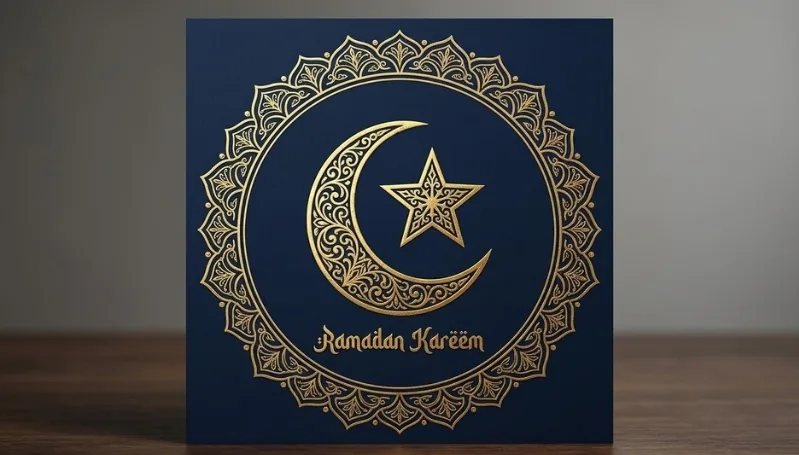
- "Gold crescent moon and star icon on deep navy background, ornate arabesque circular border, luxury foil stamp effect, vector-clean edges, Ramadan Kareem greeting card design, centered composition, premium print aesthetic"
- "Crescent moon reflection on still water, mosque dome silhouette on the far shore, warm golden light on the horizon, long exposure photography effect, deep blue-to-amber gradient sky, serene and spiritual atmosphere"
Recommended tool: AI Image Generator, AI Replace
Iftar & Suhoor Scene Prompts

Iftar and suhoor table setups are high-demand content for food brands, restaurants, and social media. These prompts use food photography principles — angle, depth, light source, and prop placement — applied to Ramadan-specific subjects.
Iftar Table Setups
- "Traditional iftar table setup, wooden tray with medjool dates arranged in small bowl, tall glass of water, small soup bowl with steam rising, lit Fanous lantern right side, soft warm window light from left, 45-degree angle shot, shallow depth of field, cinematic food photography, warm color grade, intimate Ramadan atmosphere"
- "Flat-lay of iftar essentials on a dark wood surface: dates, prayer beads, open Quran, small lantern, rose water pitcher, traditional ceramic bowls, overhead lighting with soft shadows, product photography style, warm amber tones, negative space on left for text overlay"
- "Luxurious iftar feast spread on a long table, multiple dishes including lamb, rice, salads, dates, and Arabic sweets, soft overhead warm lighting, elegant gold tableware, blurred bokeh background, editorial food photography, grand and festive Ramadan mood"
Recommended tool: AI Product Photoshoot
Suhoor & Pre-Dawn Scenes
- "Pre-dawn suhoor scene, simple breakfast table near an open window, soft blue pre-sunrise light from outside, steaming tea glass, dates and bread, prayer beads resting on the table edge, calm and intimate atmosphere, natural window lighting, 35mm film grain aesthetic"
- "Close-up of hands holding a warm cup of tea at suhoor, prayer beads visible on the wrist, background is a blurred lantern glow, shallow depth of field, warm amber highlights, spiritual and intimate mood, hyper-realistic photography"
Recommended tool: AI Image Generator
Portrait & People Prompts
Portrait prompts for Ramadan require careful light and background specification to avoid culturally imprecise output. These prompts are designed for editorial, social content, and brand photography contexts. For AI-enhanced portrait editing on real photos, use the AI Portrait Tool.
Individual & Family Portraits
- "Portrait of a woman in an elegant white hijab and abaya, warm side-lighting from a lantern, blurred arabesque wall background, serene and contemplative expression, shallow depth of field, editorial fashion photography, rich amber and gold color grade"
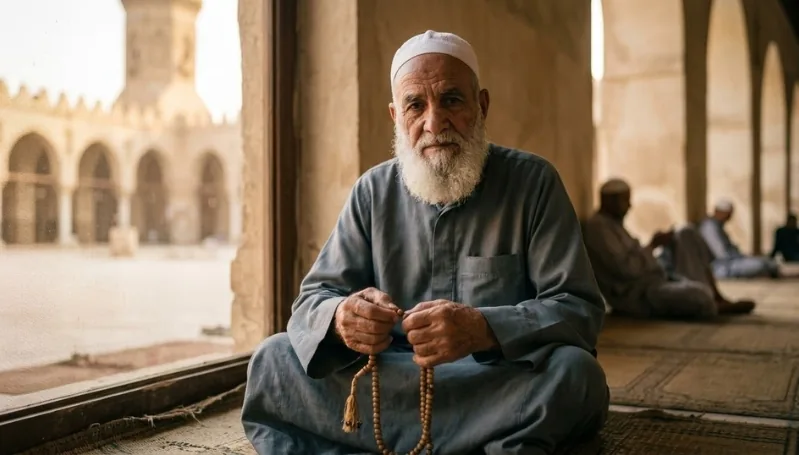
- "Portrait of an elderly man with a white beard holding prayer beads, soft natural window light, warm golden hour atmosphere, mosque courtyard background in soft focus, reverent and dignified expression, documentary-style photography, natural desaturated tones"
- "Multi-generational family seated around an iftar table, warm overhead lighting, traditional Arabic home interior in background, happy and warm expressions, wide editorial shot, warm amber color grade, Ramadan family gathering atmosphere"
Recommended tool: AI Portrait, Remove Background
Prayer & Spiritual Scenes
- "Silhouette of a man in traditional thobe praying in a mosque, large ornate windows behind with golden sunset light streaming through, dramatic back-lighting, dust particles in light beams, reverent and spiritual mood, high-contrast cinematic photography"
- "Wide shot of Taraweeh prayer rows inside a grand mosque, elaborate chandelier hanging from high ceiling, hundreds of worshippers in white thobes and abayas in neat rows, cool blue and white light, grand architectural photography, aerial angle from the mezzanine"
Recommended tool: AI Image Generator
Product Photography Prompts

Brands launching Ramadan campaigns need product photography with seasonal atmosphere. These prompts wrap existing product types — perfume, sweets, gift boxes, fashion — in Ramadan-specific visual environments without losing the product as the focal point. Use the AI Product Photoshoot tool to apply these prompts directly to your product images.
Gift Boxes & Packaging
- "Luxury Ramadan gift box with gold arabesque pattern wrapping, tied with a deep green ribbon and gold star charm, placed on a dark mahogany surface, warm lantern glow from the right, soft bokeh background, product photography style, premium brand aesthetic, negative space on left for logo placement"
- "Flat-lay of Ramadan gift set including dates box, attar perfume bottle, prayer beads, and miniature Fanous, dark textured linen background, overhead warm lighting, styled editorial product photography, rich jewel tones — deep navy, gold, and burgundy"
Recommended tool: AI Product Photoshoot
Perfume & Luxury Goods
- "Oud perfume bottle on a reflective black marble surface, warm amber backlight, smoke wisps rising behind the bottle, arabian geometric pattern wall softly blurred in background, luxury product photography, dramatic lighting, deep shadow contrast, premium fragrance campaign style"
- "Attar perfume collection of three gold-capped bottles arranged on carved Arabic wooden tray, warm candlelight glow, soft focus background with out-of-focus arabesque tiles, editorial product photography, rich amber and gold color palette, Ramadan luxury campaign visual"
Recommended tool: AI Product Photoshoot, Remove Background
Sweets & Food Products
- "Plate of kunafa with golden shredded pastry and white cheese, drizzle of rose water syrup glistening under warm overhead light, dark wooden surface, shallow depth of field, food photography style, warm amber tones, Ramadan dessert campaign visual"
- "Stack of assorted Arabic sweets — baklava, maamoul, basbousa — on a tiered gold tray, lit Fanous lantern in soft focus behind, rich jewel-tone background, editorial food photography, 45-degree angle shot, festive and abundant Ramadan mood"
- "Close-up of medjool dates arranged in an ornate ceramic bowl, rose petals scattered around, soft warm studio light from the left, shallow depth of field, hyper-realistic texture, luxury food photography style, clean negative space background for text overlay"
Recommended tool: AI Product Photoshoot
Which AI Tools to Use for Each Category
Different Ramadan content types require different generation approaches. This table maps content categories to the optimal tool and any supporting editing step needed after generation.
| Content Category | Primary Tool | Post-Generation Step | Midjourney / DALL-E / SD |
|---|---|---|---|
| Lantern atmospheres | AI Image Generator | AI Filter for color grading | Midjourney (best realism) |
| Iftar food photography | AI Product Photoshoot | Lighting enhancement | DALL-E (style control) |
| Portrait & people | AI Portrait | Remove Background + replace | Midjourney (photo realism) |
| Product photography | AI Product Photoshoot | Remove Background | SD (background control) |
| Greeting cards & social | AI Image Generator | Text overlay in design tool | DALL-E (typography area) |
| Background replacement | AI Replace | None if prompt is precise | SD + ControlNet (most control) |
Pro Tips for Better Ramadan Prompt Results
Iterate on Lighting First
Ramadan visuals are defined by their light quality more than any other variable. If output looks wrong, the lighting specification is usually the failure point — not the subject description. Adjust the light source (lantern vs. window vs. moonlight), color temperature (amber vs. cool blue), and directionality (side vs. back vs. overhead) before changing anything else.
Lock the Color Palette Explicitly
Ramadan has two dominant color signatures: deep navy-to-amber (nighttime atmosphere) and warm gold-to-cream (interior warmth). Name one of these explicitly in every prompt. Adding "deep navy and amber color palette" or "warm gold and cream tones throughout" anchors every tonal decision the model makes. For reference, review how seasonal color palette control works in our seasonal prompts guide.
Use Negative Prompting for Cultural Precision
Add exclusions to prevent culturally imprecise output. For Ramadan content, typical negative prompts include: "no Chinese lanterns, no Halloween references, no Christmas elements, no neon colors, no futuristic elements, avoid generic Middle Eastern clichés." In Midjourney, add these with --no. In Stable Diffusion, use the negative prompt field. In DALL-E, phrase them as "avoid" within the main prompt.
Build From Reference Scenes, Not Concepts
Instead of prompting the concept ("a spiritual Ramadan night"), describe a specific scene that embodies it: "a man sitting on a rooftop terrace after Taraweeh prayer, looking at the crescent moon, warm lantern beside him, city lights soft-focused below." Specificity produces identity. Concepts produce averages. For advanced scene-building techniques, the Midjourney showcase is useful for understanding what visual specificity actually produces.
Use Aspect Ratio Intentionally
In Midjourney, --ar 9:16 for stories, --ar 1:1 for feed posts, --ar 3:2 for blog headers. Composition changes with aspect ratio — a centered crescent moon composition at 1:1 becomes a completely different framing at 9:16. Set the ratio before generating, not after. External resource: Midjourney's aspect ratio documentation covers all supported formats.
Common Mistakes to Avoid
Mistakes
- Using "Ramadan" alone as the only context word
- No lighting specification — model defaults to generic night
- Mixing culturally unrelated lantern types
- No depth specification — flat, undefined backgrounds
- Requesting text generation inside image prompts (always fails)
- Ignoring aspect ratio before generating
- No style anchor — output genre becomes unpredictable
- Restarting from zero when partial elements are wrong
Fixes
- Build five-layer prompts: subject, light, depth, style, mood
- Always name the light source and its color temperature
- Specify "brass Fanous lantern" not just "lantern"
- Add background depth descriptors in every prompt
- Generate text-free images; add typography in a design tool
- Set
--arflag before generating in Midjourney - End every prompt with a photography or design genre label
- Iterate: describe exactly what to fix in the next generation pass
Frequently Asked Questions
Can I use these prompts in DALL-E, Midjourney, and Stable Diffusion equally?
The structural logic works across all three, but output quality differs by task. Midjourney produces the most photorealistic atmospheric results for lantern scenes and portraits. DALL-E handles text-area composition better for greeting card formats. Stable Diffusion with ControlNet gives the most control over background replacement and product composition. Use the tool-pairing table in this guide to match category to tool. You may also need minor phrasing adjustments — SD responds well to technical camera terms like "f/2.8, 85mm lens, ISO 800" while Midjourney responds better to scene-description language.
How do I avoid culturally inaccurate output in Ramadan AI images?
Precision in entity naming is the primary control. Replace generic terms with culturally specific ones: "Fanous lantern" not "lantern," "arabesque pattern" not "decorative pattern," "thobe" or "abaya" not "traditional clothing," "medjool dates" not "fruit." Negative prompting adds a second layer — explicitly exclude culturally unrelated references. For portraits specifically, describe lighting and background rather than ethnicity to avoid biased model outputs, and use photo-realistic style anchors that emphasize natural human diversity.
What is the best color palette to use for Ramadan AI photo prompts?
Two primary palettes work reliably. The nighttime palette — deep indigo (#1a1a5e), rich amber (#c8760a), warm gold (#d4a017) — is appropriate for lantern scenes, mosque silhouettes, and atmospheric shots. The interior warmth palette — cream (#f5f0e8), warm brass (#b5842a), sage green (#5c7a5e), burgundy (#8b1a3a) — works for iftar tables, gift boxes, and greeting card backgrounds. State the palette explicitly in the prompt: "deep indigo and amber color palette throughout" or "warm cream, gold, and burgundy color grade." This anchors every tonal decision the model makes.
How do I use AI to edit my existing Ramadan photos, not just generate new ones?
For editing existing photos, image-to-image (img2img) workflows apply prompt logic to real inputs. Upload your photo to a tool like the AI Filter to apply color grades and atmospheric effects, use the AI Replace tool to swap backgrounds (replace a plain wall with a blurred arabesque wall or lantern-lit scene), and use the Background Remover to isolate subjects before placing them in Ramadan-specific environments. These workflows let you apply Ramadan visual identity to real photography without starting from AI generation.
What makes a Ramadan product photography prompt different from a standard product prompt?
The difference is environmental context. A standard product prompt focuses entirely on the product and its lighting. A Ramadan product prompt adds a layer of seasonal atmospheric props (lanterns, arabesque surfaces, date bowls, prayer beads) that build visual identity without obscuring the product. The product remains the sharp focal point; the Ramadan elements exist in soft focus in the mid- and background. The light source also shifts — Ramadan product photography typically uses warm amber lantern light or warm tungsten rather than the cool studio light used in standard product photography.
The Future of AI Ramadan Visual Content
Two developments will change Ramadan AI content production within the next product cycle. First, cultural entity training is improving: newer model versions have stronger Fanous lantern, arabesque pattern, and mosque architecture recognition baked into their weights, which means fewer correction passes and more accurate first-generation outputs. The ceiling on prompt efficiency rises each model generation.
Second, animated Ramadan content — looping lantern glow, crescent moon rise sequences, iftar steam animations — is reaching consumer-level accessibility through video-generation tools. Content creators who already work fluently with static Ramadan prompts will apply identical structural logic to motion content as those tools mature. The five-layer prompt framework in this guide — subject entity, lighting, depth, style, mood — transfers directly to video generation prompts.
The constraint that remains constant regardless of tool improvement: the model cannot design a scenario it has not been given. Prompt specificity is not a workaround for model limitations. It is the correct way to operate any generative system. The prompts in this guide are starting points — precise enough to produce usable first outputs, structured enough to iterate from systematically.

Social Content & Greeting Card Prompts
Social media and greeting card prompts need built-in text placement areas, clean edge definition, and specific aspect ratio awareness. These prompts are built for 1:1 feed posts, 9:16 stories, and print-ready greeting formats.
Greeting Cards & Covers
Recommended tool: AI Image Generator
Instagram & Story Formats
Recommended tool: AI Image Generator, AI Filter